“Loop Engineering” Is Mostly Just Broken SDLC Wearing a Costume

I’ve been watching the “Loop Engineering” conversation build up steam for a while now and I keep landing in the same spot: I’m not buying it. Not the way it’s being sold, anyway.

The pitch is seductive. Wrap the LLM in a loop — plan, act, observe, correct, repeat — and you get an autonomous-ish thing that grinds away at your problem until it’s done. Everybody nods. It sounds rigorous. It sounds like engineering. And that’s exactly the part that’s bugging me, because the more of these “loop” architectures I look at, the more they look like something I’ve seen before. They look like the same slow, cumbersome, ceremony-laden SDLC that companies have been stuck in for thirty years — except now we’ve bolted it onto a language model and called it innovation.

Let me be blunt about the thing I actually think is happening here. We are not designing new ways to work with LLMs. We are retrofitting the broken software development lifecycle we already had onto a brand new kind of tool, and then acting surprised when the result is convoluted and bloated. The loop isn’t a breakthrough. In a lot of shops it’s a reskin of the ticket-grooming, status-meeting, hand-off-and-wait machine that made software slow in the first place. Largely, it defeats the entire advantage of using an LLM in the first place.

The tell: it’s ceremony, not capability

Here’s what tips me off. Go look at a bunch of these “agentic loop” designs in some of the more advanced companies – the ones that are supposedly doing this right – and count the steps. Plan the plan. Break the plan into subtasks. Score the subtasks. Route the subtasks. Re-plan when a subtask fails. Reflect on the reflection. Summarize the reflection into a memory. Retrieve the memory to plan the next plan.

Squint! That’s not a novel machine intelligence workflow. That’s Scrum with a transformer in the standup. It’s the same “process as a substitute for thinking” instinct that gave us story points and RACI charts and forty-five minute refinement meetings. We took a slow, human, coordination-heavy process – one that mostly exists because humans forget things, go home at night, and don’t share memory – and we handed it, wholesale, to a system that doesn’t forget in the same way, doesn’t go home, and can share state instantly.

The loop, in a huge number of cases, is coordination overhead that the model doesn’t actually need. We’re paying for it in tokens, latency, and complexity, and calling the bill “engineering rigor.”

Loops exist to cover for things LLMs shouldn’t need covered

Programmer looks at the loop getting errors.
Programmer looks at the loop getting errors and the tears and pain of the absurdity of it is driven home! The horror, the nightmare!

A loop is fundamentally an error-correction and coordination structure. You loop when you can’t get it right in one pass and you have no better way to make forward progress than to try, check, and try again. That’s a completely reasonable thing to do sometimes. But notice why the classic SDLC is so loopy: it’s loopy because the humans and systems in it have terrible, lossy interfaces to each other. Requirements get garbled on the way to the dev. Context evaporates between the ticket and the code. Nobody can see the whole thing at once, so we iterate blindly and use process to catch the drops.

When you lift that structure and drop it onto an LLM, you inherit all of those assumptions – lossy hand-offs, missing context, blind iteration – even when they no longer apply. The model can hold enormous context. It can be given the whole picture at once. It can be handed clean, structured inputs instead of a garbled ticket. So a lot of the loop is there to solve a problem you’ve already got the tools to eliminate. You’re building a bucket brigade next to a working fire hose.

That’s the reframe I want people chewing on: don’t fit the LLM to the broken SDLC. Fix the SDLC around what the LLM is actually good at, and a lot of the loop – and the SDLC – just disappears. Not all of it — some feedback is real and necessary — but a lot of it goes away.

So what do you build instead? Workflows, not loops.

A workflow is a directed thing. It has a shape. It moves from a known input to a known output through steps that each do one clear job, and it only bends back on itself where a real signal says it must. Not on a fixed “reflect every turn” cadence because the architecture diagram had a box for it. Here are the approaches I’d actually reach for, and roughly in the order I’d reach for them.

1. Front-load context so the first pass is the good pass

The single biggest source of looping is a bad first attempt caused by starved input – a barren prompt that is missing context, scope, and specifics. So stop starving it. Instead of a thin prompt and a correction loop to claw the quality back, spend your engineering effort upfront assembling everything the model needs: the relevant code, the schemas, the conventions, the prior decisions, the actual constraints. Curate it. Structure it. Hand the model the whole board. Give it a specific thing to do with plenty of reference (MCP/RAG, etc) to get what it needs to get the job done right from inception.

This is a workflow move, not a loop move. You’re not iterating toward context — you’re delivering it before step one. The payoff is enormous, because every loop you avoid is latency and tokens and a chance to go off the rails that you never spent. A well-fed single pass beats a starved five-pass loop most of the time, and it’s cheaper and easier to reason about. Put the work where it compounds: the input.

2. Decompose along data flow, not along a status board

When a task genuinely is too big for one pass, the instinct from SDLC-brain is to break it into “tickets” and manage them in a loop. Don’t. Break it along the data instead – a pipeline where each stage has a typed input and a typed output, and stages connect because one’s output is literally the next one’s input.

Extract, then transform, then validate, then render. Parse, then plan, then generate, then check. Each stage is a small, boring, testable unit that does one thing to a known input. This is the old Unix-pipe wisdom, and it holds up beautifully with LLMs: small components with sharp interfaces that you can compose, test, and swap. The magic is that a clean pipeline removes the reason to loop – you’re not re-planning the whole job when stage three hiccups, you’re re-running stage three. The blast radius of a failure is one stage, not the entire task. That’s the difference between a workflow and a loop: the workflow contains failure; the loop lets it slosh around the whole system.

3. Make feedback event-driven, not clock-driven

Here’s where I think the loop crowd goes most wrong. In a canonical loop, you reflect and re-plan every iteration, on a cadence, whether or not anything happened worth reflecting on. That’s the transformer equivalent of a daily standup where nothing changed but everyone talks anyway. Pure ceremony.

Flip it. Don’t loop on a clock – react to events. Wire the model into a workflow where a specific, real signal triggers a specific corrective action. Tests failed? Route the failing output and the error back for a targeted fix – not a full re-plan, just “fix this.” Schema validation rejected the payload? Send it back with the exact violation. A confidence or a guard check tripped? Escalate that one thing. Everything else flows straight through.

The behavior looks loop-like from a distance, sure – things sometimes go back around. But the structure is completely different, and the difference is the whole point. Correction happens because something concrete demanded it, scoped to exactly what broke, instead of on a blind fixed schedule that burns tokens re-litigating work that was already fine. Nine times out of ten nothing needs to go back, and your workflow should sail straight through when that’s the case.

4. Push determinism to the edges and let the model do the fuzzy middle

A ton of what gets stuffed inside these loops is stuff the model has no business doing repeatedly – running code, hitting an API, checking a value against a rule, formatting an output. Every time you make the LLM babysit that inside a reasoning loop, you’ve added a slow, nondeterministic, expensive step to do a job that a plain function does perfectly, instantly, and the same way every time.

So carve it out. Let deterministic code own everything that can be deterministic: the tool calls, the validation, the I/O, the formatting, the branching on hard rules. Let the model own the genuinely fuzzy judgment in the middle – the part that actually needs a language model. When you draw that line cleanly, the “loop” collapses into a mostly-straight workflow with the LLM as one well-scoped component inside a larger deterministic system, instead of the LLM being the anxious general contractor re-checking every subcontractor’s work on every pass. Less looping, more determinism, and the model spends its cycles on the one thing only it can do.

Pulling it together

Put those four together and look at the shape you get. You front-load context so the first pass lands. You decompose along data flow so failures stay contained. You make correction event-driven so you only bend back when something real demands it. And you push everything deterministic out to the edges so the model isn’t looping over work a function should own. What’s left is a workflow – directed, inspectable, cheap, testable – with the LLM doing the fuzzy judgment it’s uniquely good at and nothing else.

Compare that to the canonical loop: an undirected grind, re-planning and re-reflecting on a cadence, coordination overhead standing in for capability, the whole thing shaped by the assumption that every hand-off is lossy and every input is garbled – assumptions that came straight out of the broken SDLC and mostly don’t apply here.

I want to be fair about it: loops aren’t always wrong. There are open-ended, genuinely exploratory problems where you can’t shape the path in advance and try-check-try is honestly the best you’ve got. Fine. But that’s the exception, and right now the industry is treating it as the default. We’re reaching for the loop reflexively because it feels like the rigorous, grown-up, “real engineering” thing to do – when a lot of the time it’s just the old ceremony in new clothes.

There’s more going on with LLMs than the loop. A lot more. The loop is one tool, and it’s become a bit of a security blanket for people who’d rather port their existing broken process than sit down and design a new one. My request is simple: before you wrap your model in yet another plan-act-reflect grinder, ask what the loop is actually for in your case. If the honest answer is “to cover for lossy hand-offs and missing context,” then you don’t have a loop problem. You have an SDLC you never cleaned up – and the fix is a workflow, not another lap.

The Gap Is Widening and It’s Not Slowing Down

Brendan O’Leary wrote a piece this week titled “The AI Coding Revolution Hasn’t Started Yet“. His headline observation: most professional engineers haven’t adopted AI coding tools in any meaningful way. Not even close.

In my experience too, he’s right. I’d push it further.

I’ve been deep in this work – helping companies actually get Generative AI tooling integrated into real development workflows, not just installed, not just “evaluated,” but actually integrated. Running sessions, doing the pairing, reviewing the setups, watching teams try to navigate the gap from “we have Copilot turned on” to “we’re doing something meaningfully different with how we build software.” and what I keep seeing isn’t just that most companies haven’t started. It’s that the gap between the teams that have started and everyone else is compounding. Every week that passes, that gap doesn’t hold steady. It widens.

The Observation from the Inside

The conference Brendan was at, where he made this observation is a good one. You talk to staff engineers, architects, team leads – people who are not amateurs at this craft – and you find out they’re still in the “I’ve heard of Claude Code” phase. That’s a real data point and it matches what I’m seeing at companies I work with. More than a few times they haven’t even gotten to that point.

But here’s the wrinkle that the conference floor view doesn’t fully capture: the gap isn’t just about adoption level. It’s about trajectory. The practitioners who’ve gone deep aren’t standing still. They’re getting faster, refining workflows, building intuition about how to orchestrate agents, where to trust the output, where to keep a tighter leash, and where to let things run. They’re compounding their advantage every single week. Meanwhile, a team that’s still on “tab completion is the whole idea” isn’t sitting on a fixed baseline. They’re falling behind in a relative sense, even if their absolute productivity is unchanged.

That’s a slow-moving disaster in competitive terms.

The Questions That Tell the Story

I’ve had almost the exact same hallway conversations described. The tells are in the questions:

“Wait, so the agent actually runs the tests itself?”

“How are you keeping it from just rewriting everything it touches?”

“Our security team said no to all of this, so we haven’t tried anything.”

None of these are dumb questions. In fact, they’re the correct questions — they mean the person is starting to actually reason about agentic tooling rather than dismissing it. But they’re also questions that someone who’s been working in this space for six months has already burned through, experimented on, and formed opinions about. There’s a widening experiential gap underneath the tooling gap and that part is harder to close quickly.

Why the Lag Is Rational (But Costly)

The reasons Brendan lists for slow adoption from security lockdowns, bad early Copilot experiences, tool landscape churn, team skepticism are all real and I’ve run into every single one of them. Let me add a few more from what I’ve encountered.

The “we tried it and it wasn’t impressive” problem is particularly pernicious, because the delta between the experience of using autocomplete in 2023 and using an agentic coding workflow in 2026 is genuinely massive. But if you hit the bad experience first and walked away, you should probably revisit it now. I know demos that happen at conferences aren’t likely to convince. A well-produced YouTube video either. But get your hands dirty and use it, otherwise the lag is going to send you, or the group you work with into luddite land and made “redundant” as they say in some places (i.e. laid off, unemployed, etc).

That’s one of the core things I try to do when working with teams: get past the “is this real” phase as fast as possible by showing it working on their actual code. Because abstract capabilities don’t move people. Seeing an agent navigate through a service you wrote, flag something you’d have missed, and propose a coherent refactor in thirty seconds — that moves people.

The security lockdown problem is also real but I want to name it more precisely: what organizations actually mean when they say “we can’t use AI tools on our codebase” is usually “we haven’t yet done the work to understand what the actual risk surface is.” Which is a very different thing than a reasoned security position. It’s a deferral masquerading as a decision. And that deferral has a cost that most orgs aren’t properly accounting for on their risk register.

The Vibe Coding Trap Is Real Too

Here’s where I’ll add some nuance that doesn’t always make it into the “you should adopt this” framing: adoption without discipline is its own problem.

There’s a Stanford study that just landed – SWE-chat, (which I have a lot of frustration with how it’s often mis-interpreted, for example the comment I’ve left here the post) looking at 6,000 real coding agent sessions from open-source developers in the wild – and the numbers are sobering. Only 44% of agent-produced code makes it into commits. Vibe-coded sessions (where the agent authors virtually all the code) burn roughly 3x more tokens and dollars per committed line than collaborative sessions. And vibe-coded code introduces about 9x more security vulnerabilities per committed line than code humans write themselves.

I’ve talked about this at length in Hurting or Helping Devs and in my breakdown of the types of code changes that AI agents produce. The tools are genuinely powerful. They’re also genuinely capable of quietly reshaping a codebase into something that looks correct but behaves like it was written by an overly confident intern with root access and no fear of consequences.

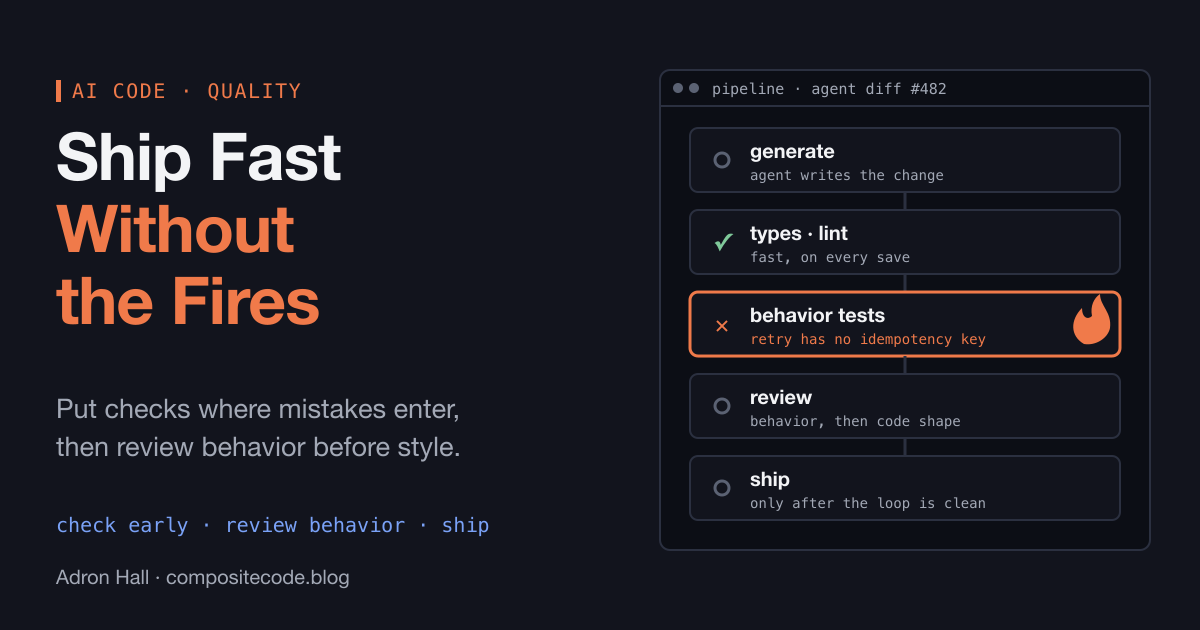
The right model isn’t “hand everything to the agent.” It’s orchestration with discipline – scoped prompts, diff limits, human gatekeeping on production deployments, and a clear-eyed understanding of where agent judgment is trustworthy and where it isn’t. That’s a craft skill that takes time to develop. It can’t be skipped.

So I’m not just saying adopt. I’m saying adopt correctly with discipline, which is harder, takes longer, and requires more deliberate investment. But the teams doing it right are building a durable advantage. The teams doing it sloppily are creating technical debt at a rate that will bite them in ways that are currently hard to see.

The Compounding Problem

Here’s the thing about compounding gaps that I keep coming back to: they don’t feel urgent when you’re inside them.

If your team is shipping at more or less the same pace it shipped at a year ago, nothing feels broken. Nothing is on fire. You’re not obviously behind. The gap is invisible to you because the other side of it isn’t in your day-to-day view.

But a team that’s been running agentic workflows for six months has built intuition, muscle memory, and workflow patterns that can’t be copied in a week. They’ve figured out what to scope, what to constrain, where to trust, and where to verify. They’ve failed in some interesting ways and learned from it. They’re operating at a different surface area of the problem than a team that’s starting from scratch — even if both teams have access to the same models and tools.

That’s the part that concerns me most when I work with orgs that are still in “evaluation mode” two years into this transition. The tools aren’t the moat. The practice is the moat. And practice requires time.

The clock is running.

What Needs to Happen

Brendan is optimistic about the diffusion curve tipping soon, and I think that’s probably right. The on-ramp needs to get lower – better model-agnostic tooling, less lock-in, less requirement to reconstruct your entire workflow to get started. Those are the right levers.

But I’d add one more: organizations need someone to physically show them what the other side looks like, in their context, with their problems. Not a demo environment. Not a benchmark. Their actual code. Their actual team. That’s the thing that moves the needle from “heard about it” to “we’re doing this.”

If you’re at a company still sitting on the sidelines on this – not because of a reasoned, deliberate decision, but because it hasn’t risen to the top of the priority stack yet – I’d genuinely encourage you to treat that as a risk and a significant one at that. Not a vague future risk. A significant present, compounding one.

The teams on the other side of that gap are not slowing down.

Hurting or Helping Devs?

This video features me, a Principal Software Engineer, discussing the impact of AI on software development, the risks of “vibe coding,” and the necessary shifts in engineering practices. Adron argues that traditional manual coding is becoming obsolete and that developers must adapt to a new paradigm defined by systems thinking and AI orchestration.

Key Takeaways:

  • The Dangers of “Vibe Coding”: Adron defines “vibe coding” as the practice of relying on AI to generate code without a deep understanding of the system (0:08:31). This often leads to unmaintainable, “disposable” software—a phenomenon he calls the shinification of software—which can cause significant production issues when systems fail (0:00:46, 0:08:31).
  • Managing AI Agents: To maintain code quality, developers must:
    • Rein in Scope: Avoid open-ended prompts; instead, provide specific, well-defined architectural plans to AI agents (0:05:13, 0:06:01).
    • Diff Discipline: Enforce hard limits on diff sizes (e.g., aiming for ~50 lines) to ensure human reviewers can feasibly audit changes (0:52:37, 0:55:00).
    • Human Gatekeeping: Keep humans as the final gatekeepers for production deployments to ensure security and reliability (0:16:50, 0:57:29).
  • The Evolution of the Developer Role: The junior pipeline is changing; instead of focusing on syntax or pixel-pushing, future developers should act as systemic architects who understand how to orchestrate AI tools and manage complex workflows (0:24:05, 0:26:05).
  • The Industry Reckoning: As VC-subsidized AI adoption faces future economic corrections, companies will need to prioritize efficiency, energy production, and true orchestration over simply generating massive amounts of code (1:02:41, 1:05:00).
  • Future Predictions: Adron predicts that AI will eventually develop its own programming language optimized for machine-to-machine communication, further distancing development from manual human typing (1:09:48).

In this episode, you’ll learn:

  1. Why writing code manually means you are already too far behind.
  2. How to manage the six specific types of AI code changes.
  3. The reason Diff Discipline is the only way to survive vibe coding.

Time Sliced Segments

  • (03:14) Why the junior developer pipeline is imploding
  • (05:13) How to reign in agent scope for better results
  • (08:31) The slow creeping dread of vibe coding
  • (12:50) Moving past communication cycles with prototypes
  • (16:50) Why shipping to production needs a human gatekeeper
  • (20:20) How roles shift when agents handle the workflow
  • (24:05) Why slinging individual lines of code is over
  • (29:47) Bringing a generalist approach back to computer science
  • (34:57) Breaking down the six types of code changes
  • (41:40) Why AI optimizes for plausible output instead of correctness
  • (52:37) Enforcing diff limits to keep human reviewers sane
  • (57:29) Setting up no-fly zones for sensitive code
  • (01:02:41) The coming hundred x shock to the tech industry
  • (01:11:27) What it means to be a coder in 2026

Security Was Already a Mess. Generative AI Is About to Prove It.

I was thinking about some of the points from the Polyglot Conf list of predictions for Gen AI, titled “Second Order Effects of AI Acceleration: 22 Predictions from Polyglot Conference Vancouver“. One thing that stands out to me, and I’m sure many of you have read about the scenario, of misplaced keys, tokens, passwords and usernames, or whatever other security collateral left in a repo. It’s been such an issue orgs like AWS have setup triggers that when they find keys on the internet, they trace back and try to alert their users (i.e. if a user of theirs has stuck account keys in a repo). It’s wild how big of a problem this is.

Once you’ve spent any serious amount of time inside corporate IT, you eventually come to a slightly uncomfortable realization. Exponentially so if you focus on InfoSec or other security related things. Security, broadly speaking, is not in a particularly great state.

That might sound dramatic, but it’s not really. It is the standard modus operandi of corporate IT. The cost of really good security is too high for more corporations to focus where they should and often when some corporations focus on security they’ll often miss the forrest for the trees. There are absolutely teams doing excellent security work, so don’t get the idea I’m saying there aren’t some solid people doing the work to secure systems and environments. There are some organizations that invest heavily in it. There are people in security roles who take the mission extremely seriously and do very good engineering.

A lot of what passes for security is really just a mixture of documentation, policy, and a little bit of obscurity. Systems are complicated enough that people assume things are protected. Access is restricted mostly because people don’t know where to look. Credentials are hidden in configuration files or environment variables that nobody outside the team sees.

And that becomes the de facto security posture.

Not deliberate protection.

Just… quiet obscurity.

I’ve lost count of the number of times I’ve been pulled into a system review, or some troubleshooting session, where a secret shows up in a place it absolutely shouldn’t be. An API key sitting in a script. A database password in a config file. An environment file committed to a repository six months ago that nobody noticed.

That sort of thing happens constantly. Not out of malice. Out of convenience. But now we’ve introduced something new into the environment.

Generative AI.

More importantly though, the agentic tooling built around it. Tooling that literally takes actions on your behalf. Tools that can read entire repositories, analyze logs, scan infrastructure configuration, generate code, and help debug systems in seconds. Tools that engineers increasingly rely on as a kind of external thinking partner while they work through problems.

All that benefit is coming with AI tools. However AI doesn’t care about the secret. It’s just processing text. But the act of pasting it there matters. Because the moment that secret leaves your controlled environment, you no longer know exactly where it goes, how it’s stored, or how long it persists in the LLM.

The mental model a lot of people are using right now is wrong. They treat AI like a scratch pad or an extension of their own thoughts.

It isn’t.

The more accurate model is this: an AI tool is another resource participating in your workflow. Another staff member, effectively.

Except instead of being a person sitting at the desk next to you, it’s a system operated by someone else, running on infrastructure you don’t control, processing information you send to it. Including keys and secrets.

Once you start looking at it that way, a few things become obvious. You wouldn’t casually hand a contractor your production API keys while asking them to help debug something. You wouldn’t drop a full .env file containing service credentials into a conversation with someone who doesn’t actually need those values.

Yet that is exactly the pattern that is quietly emerging with generative AI tools. Especially among new users of said tools! Developers paste configuration files, snippets of infrastructure code, environment variables, connection strings, and logs directly into prompts because it’s the fastest way to get an answer.

It feels harmless. But secrets have a way of spreading through systems once they start moving.

The real issue here is that generative AI doesn’t create security problems. It amplifies the ones that already exist. Problems that the industry has failed (miserably might I add) at solving. If an organization already has sloppy credential management, AI just gives those credentials another place to leak. If engineers already pass secrets around informally to get work done, AI becomes another convenient channel for that behavior.

And because AI tools accelerate everything, they accelerate the consequences too. What used to take hours of searching through documentation can now happen instantly. A repository full of configuration files can be analyzed in seconds. Systems that were once opaque are now far easier to reason about.

The Takeaway (Including secrets!)

The practical takeaway here isn’t that people should stop using AI tools. That’s not realistic and frankly a career limiting maneuver at this point. The tools are genuinely useful and they’re going to become a permanent part of how software gets built.

What needs to change – desperately – is operational discipline.

Secrets should never be treated casually, and that includes interactions with generative systems. API keys, tokens, passwords, certificates, environment files, connection strings—none of those belong in prompts or screenshots or debugging sessions with external tools.

If you need to ask an AI for help, scrub the sensitive pieces first. Replace real values with placeholders. Remove anything that grants access to a system. Setup ignore for the env files and don’t let production env values (or vault values, whatever you’re using) leak into your Generative AI systems.

Treat every AI interaction the same way you would treat a conversation with another engineer outside your organization, or better yet outside the company (or Government, etc) altogether.

But not someone you hand the keys to the kingdom. Don’t give them to your AI tooling.

Additive vs. Mutative vs. Destructive Code Changes (and Why AI Agents Love the Wrong One at 2:13AM)

There’s a particular kind of pain that only software developers know.

Not the “production is down” kind of pain.

Not the “we deployed on Friday” kind of pain.

No, I mean the slow creeping dread of pulling the latest changes, running the tests, and realizing the codebase has been “improved” in a way that feels like someone rearranged your entire kitchen… but left all the knives on the floor.

And lately, this pain has been supercharged by AI tooling. Cursor, Claude, Copilot, Gemini, ChatGPT-driven agents, whatever your poison is this week, all share a similar behavioral pattern:

They can produce a stunning amount of output at an impressive speed… while quietly reshaping your system into something that looks correct but behaves like an alien artifact from a parallel universe.

The reason is simple: AI agents don’t “change code” the way humans do. They don’t naturally respect boundaries unless you explicitly enforce them. They operate like an overly enthusiastic intern with root access and no fear of consequences. To understand why this happens, we need to talk about the different types of code changes, and how AI tooling tends to drift toward the most dangerous ones.

So let’s name the beasts.

The Four (Actually Six) Types of Code Changes

Continue reading “Additive vs. Mutative vs. Destructive Code Changes (and Why AI Agents Love the Wrong One at 2:13AM)”