__1 “Getting Started, Kanban & First Steps for a Sharing App”

This is the first (of course the precursor to this entry was the zero day team introduction article) of an ongoing series I’m going to put together. I’m going to write this series from the context of a team building a product. I’ll have code samples and more as I work along through the material.

The first step included Oi Elffaw having a discussion with the team to setup the first week’s working effort. Oi decided to call it a sprint and the rest of the team decided that was cool too. This was week one after all and there wasn’t going to be much else besides testing, research, and setup that took place.

Prerequisites

Before starting everything I went ahead and created a project repository on github for Oi to use waffle.io with. Waffle.io is an online service that works with github issues to provide a kanban style inferface to the issues. This provides an easier view, especially for leads and management, to get insight into where things are and what’s on the plate for the team for the week. I included the default node.js .gitignore file and an Apache 2.0 license when I created the repository. Github then seeds the project with a .gitignore, README.md and the license files.

After setting up the repository in github I pinged Oi and he set to work after the team’s initial meet to discuss what week one would include.

Getting Waffles

Oi’s first task was getting everyone setup with waffle.io for kanban management. Navigating to the waffle.io page presents us with some options to login, and when doing so there will be an option around login with access to public repositories or private repositories. Each of the options, giving that level of access to the waffle.io service.

waffle.io

waffle.io

As soon as each team member signed in they could then add a project as shown below.

Adding a Board

Adding a Board

When Oi clicks on the green plus button the projects display below like this. Once can then be selected to view by merely clicking on that project in the future.

Selecting a Project to make a Board for.

Selecting a Project to make a Board for.

Below is a board that Oi setup for the Thrashing Code Organization‘s coder-swap project. It has an item that was assigned to Norda that she completed (the logo which she added to a branch called assets) for the project.

coder-swap with two existing waffles (issues in github parlance). One is in the backlog and one is done already.

coder-swap with two existing waffles (issues in github parlance). One is in the backlog and one is done already.

From there Oi and the team got together and discussed the major items that needed added for this week’s sprint. By clicking on the Add Issue button a drop down appears. Oi started to add a few but realized that milestones could be set.

Adding waffles.

Adding waffles.

Before diving into adding the milestones, a quick pointer on the various parts of the screen that waffle.io provides.

Various key points to click for certain functionality.

Various key points to click for certain functionality.

Now that we’ve covered a little of that interface, let’s tackle the oddly backwards way to add milestones. Simply, the waffle.io interface desperately needs a way to add milestones from within the application – especially since the milestone selection is an option when adding an issue item (waffle).

Oi had to navigate out of waffle.io and over to github in order to add a milestone. The way to do that is to click on the issues list.

The issues list.

The issues list.

Then there are four items along the top, with milestones being the last item. Click on it.

Where to find Milestones.

Where to find Milestones.

Once clicking on Create a Milestone the following dialog will display.

Creating a new Milestone.

Creating a new Milestone.

Once Oi added the first the navigation sent him back to the milestone display with the first milestone he added shown.

Milestones

Milestones

After that he added one more to the milestones for the week.

Milestones.

Milestones.

Now in waffle.io’s interface Oi can select the appropriate milestone for the week for each of the respective items.

Milestones displayed in waffle.io.

Milestones displayed in waffle.io.

With the milestones added for the week Oi went back to adding a few more waffles for the rest of the sprint. After completion Oi went ahead and mentioned to the team that he assigned various waffles to people on the team, but please “re-assign them as the team sees fit” for the week. From there Norda tackled the logo but also Etart went into the issues list on Github, as shown and chose one of the items he could go ahead and knock out for the team.

Norda & Etart tackling items. Plus a few of my own notes.

Norda & Etart tackling items. Plus a few of my own notes.

Keartida also created a waffle to add the waffle.io badge to the README.md file of the github repository. The badge is really cool, as it shows what is active in the “ready” swim lane” of the kanban board. She then knocked it out with the following text added for the coder-swap project as shown below.

[![Stories in Ready](https://badge.waffle.io/ThrashingCode/coder-swap.png?label=ready&title=Ready)%5D(http://waffle.io/ThrashingCode/coder-swap)

She then pulled the item over to the In Progress swim lane on the kanban board and went ahead and committed the change. Once committed she grabbed the commit identifier hash and left a comment for me, Adron, to +1 the commit. Let’s dig through this comment as it is a big part of how all of this can now operate seamlessly for the team.

Keartida's message for me to confirm the commit.

Keartida’s message for me to confirm the commit.

Here’s the actual text of the commit comment that Keartida left in the comments in waffle.io. Note that the comments in waffle.io are just the same as the comments on an issue or PR in github.

Hey @Adron I've added the change in commit 9b31dd9adc63f46e6d6613f1fdf46ee4998262f1 and submitted the pull request here https://github.com/ThrashingCode/coder-swap/pull/11 could you +1.

The long hash (or short hash if you get that when making a commit) is automatically turned into a link to that specific commit by github. The @ draws a link and provides autocomplete so that the person you’re notifying in the comment will get an update in the github messages that they have a message. The URI that links directly to the PR then also automatically gets turned into a link by github and is displayed with just the hash and number like ‘#11’. These links again are automatically created by github and instantly provide a way for me, Keartida’s coding pair to go directly to those specific comments, commit, and related information to review and accept the PR into the code base.

With that covered, I’ll dive in and accept that pull request real quick. I also went ahead and added the logo, so now the README.md page in the project looks like this.

Logo and badge showing active

Logo and badge showing active “Ready” waffles (github issues) in progress.

After that was completed, Keartida pulled her item over to the Done swim lane we decided to pull the next items over after we completed these tasks. When we completed this the kanban board looked like this.

The kanban board when complete.

The kanban board when complete.

With that, this wraps up the second issue of this series. We’ve got our kanban board, so whenever I’ll speak about it in the series I’ll likely just reference this blog entry for how it works, the flow we’re using. Albeit I haven’t been super detailed down to the step by step of our workflow I will get more detailed over time and discuss more about how the team moves things back and forth on its way to production.

Until issue two (or three, if you’re counting I started on a zero based index), skål!
Links for other parts of this series…

RSVP for the Geek Train to .NET Fringe

Cascadian Flag

Cascadian Flag

The .NET Fringe Conference guests coming from northern Cascadia (north of Portland) will have the excellent benefit of taking the Geek Train to the conference. It’s also only $10 friggin’ bucks!

[RSVP link here  RSVP link here  RSVP link here  RSVP link here  RSVP link here](https://ti.to/dotnetfringe/dotnetfringe?release_id=ufe-9-evb-u)

Departure

We’ll depart Saturday, April 11th at 2pm, with an ETA into Portland at 5:50pm.

Itinerary

  • 1:40pm Arrive at train station in Seattle to join group for boarding. **
  • 2:00pm Departing Seattle King Street Station (i.e. you better be on the train)
  • 2:10pm We’ll be seated and get setup for…
  • 2:15pm We’ll break into teams of ~4 or so people (or however many of us there are we’ll break out to a reasonable size groups).
  • 2:17pm I’ll announce hacking goals and ideas for the teams and we’ll launch into coding. More information will be announced soon, but suffice it to say we’ll be planning a hack around geo and logistics based solutions! The solutions hacking begins!
  • – – – much hacking and enjoying of the trip occurs here! 🙂 – – –
  • 5:00pm We announce who’s completed what and we’ll demo and discuss the app awesomeness of what we’ve managed to come up with.
  • 5:50pm or before we arrive in Portland and the fringe fun shall begin.

I’ll have more information posted here along with some other ideas about what the hackfest will include, so stay tuned and also be sure to follow @dotnetfringe, and check out all the speakers to start figuring out your plans!

Geek Train from Seattle to Portland

April 12th-14th is the epic .NET Fringe Conference. For those coming from Seattle for the conference, there’s going to be a geek train, there however one major decision that needs to be made. What departure should we board to get to Portland. This is where I’ll need your help to decide. There will be a mini-hack, wifi, food, and likely we’ll actually get the entire car to ourselves with enough of a crew. So sign up, vote, vote often and frequently for your preferred departure time! I’ll see you on the train!

Take Our Poll

Along with the departure, the trip, events for the trip and more information will be posted on the .NET Fringe site soon, along with additional ideas here.

Nordic.js and .NET Fringe

Ok, so many of the conferences out there you’re going to get fed the company line. You’ll probably experience some odd behaviors and people pushing product on you. If you’ve got the same feeling about conferences as me, and you’d like to experience these things at a conference:

  • A diverse audience of many different people from many different places.
  • You’d like to talk to others that are passionate about the future direction of technology and what we can create with that technology!
  • Listen and watch presenters provide insight to technology, ideas, and spaces that I don’t regularly get to hear about or discuss.
  • Meet many new friends, build my cohort of coders, and learn from each other.
  • Have a good time, relaxed, and not under the pressure of being sold things.

…then these conferences are for you. Seriously, I wouldn’t and won’t ever direct anybody to corporate conferences anymore except maybe in super rare occasions. The conferences to attend are the grassroots, community organized conferences like these two! There are too many other truly awesome conferences where the future is being discussed and made RIGHT NOW! There’s a few lined up that I’ll be attending and am currently working with as an organizer. Here’s the top two RIGHT NOW!

Nordic.js

Last year I unfortunately missed it, but not by much. I was running around Stockholm (along with a few other cities) last year but the dates didn’t match up for me. But this year, I’m more than set on going and will be buying tickets and more to insure that I will be there.

Nordic.js videos from last year are up and live. There is also the standard points to follows what’s going on, see when speakers are announced, and more information via the @nordicjs on Twitter,  the Facebook page, or go straight to the conference site.

Here’s a short on last year’s conference…

.NET Fringe

Alright, here’s a reprint of a conversation, paraphrased, that has happened a lot lately. I’ve been pleasantly surprised since I’ve had more than a few years in the .NET space and… well, just read the copy.

A CONVERSATION

woman

Have you heard there’s this new *different* .NET conf call Fringe?

What? Isn’t .NET dead? man I mean I remember I was excited about this ALT.NET thing a while ago, but that thing just fizzled. Node is the cool kid nowadays.
woman

Dude, a lot has changed since the last time you checked. Did you know they are building a new nextgen .NET stack that is node-like, completely OSS on Github and works on Mono?

Wow, no kidding? Things really have changed!man

…and so goes the conversations…

Find out more about .NET Fringe

womanCheck out the site, follow the @dotnetfringe twitter account and buy a ticket and get RSVPed yesterday!!

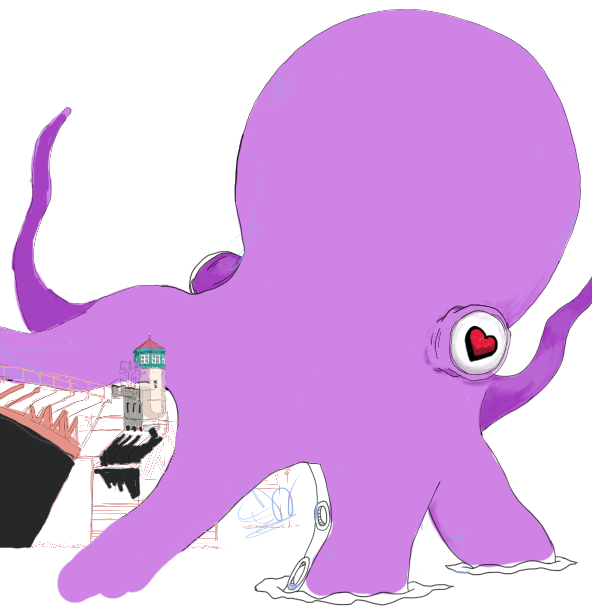
Talking? I’d love to invite all the ladies, gentlmen, and octopii (please don’t eat Stockholm’s or Portland’s bridges!) to put in your mantalks to both. These are community conferences, we push for inclusive conferences, we call out to all communities, groups, and anybody from beginner to professional. I’d love to see talks – great Node.js content at Nordic.js and great future directions and content at .NET Fringe.

Simply, we’re aiming to get a solid direction for the future. I hope to see many of you there!

In the coming weeks I’ll have a lot more about these two conferences, plus a few others that I promise you will be absolutely spectacular. Cheers!

Update 3 – Portland Startup Week – Docker, Fig, Women in Tech, Wearables & A Hackfest

Here’s some great events coming up the first week of February for Portland Startup Week! Are you planning on attending any of these or others during the week? Let me know of other good events related to Portland Startup Week and I’ll get those posted too.

Sailing Away From Dependency Hell with Docker & Fig Tuesday Feb 3: 12-1 PST

Deconstructing Women in Technology: What’s the Data Really Telling Us Tuesday Feb 3: 5-6 PST

Portland Startup Week Where are your Wearables Hackfest with Quick Left & Name.com Wednesday Feb 4: Hackfest: 6:00-10

I’ll be attending the hackfest and hope to team up with anyone that has been hacking IoT or other hardware and wearables to try to put together something new – or even to discuss what we might build in the future. Either way, it should be a great time and I look forward to teaming up with people to build some awesome.

Cheers!