Got a New Keyboard That Has a Horrifying Sleep Key! @#$%^&@!

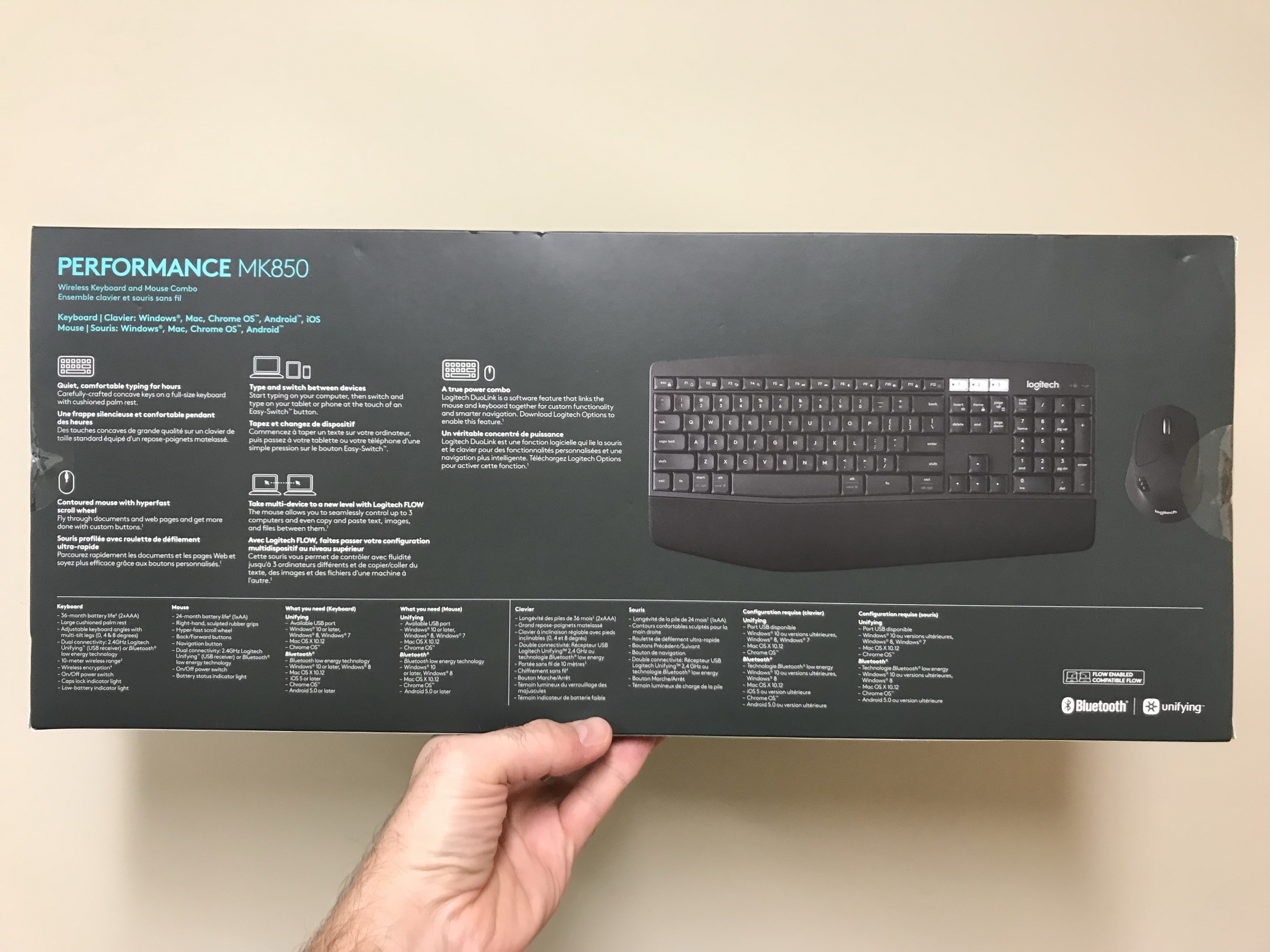
I picked up a Logitech keyboard recently, the MK850 with mouse combo. It was on sale for 80% off, which ran me a mighty $20 bucks. I needed a new keyboard as my Apple keyboard I’ve been using just really doesn’t cut it for a Linux machine. I wanted the function keys and placement of the extra alt, ctrl, and related keys to be in a more traditional placement. This keyboard is a win. However…Image from iOS (2)

Image from iOS (1)

Observations

My first observation as I plugged it in to try out, was my attempt to turn up the music, turned into a going to sleep phase for the computer. A few seconds and it was entirely off. This is a full on computer, not a laptop, so I don’t need it to be going to sleep ever. It either needs to be on, completely, or off completely. Let me show you, this key, right here is a damned curse!

thatkey

The F11 key, right beside the sound up and down function keys, is the sleep and lock key. Completely unacceptable location. I went into emergency mode on this matter.

EMERGENCY

A little research and I went full off mode on sleep, hibernate, and suspend! The commands are as follows.

gsettings set org.gnome.settings-daemon.plugins.power button-hibernate "nothing"
gsettings set org.gnome.settings-daemon.plugins.power button-sleep "nothing"
gsettings set org.gnome.settings-daemon.plugins.power button-suspend "nothing"

Now, if you want those back on however, the commands are specific to the function, as shown below.

gsettings set org.gnome.settings-daemon.plugins.power button-hibernate "hibernate"
gsettings set org.gnome.settings-daemon.plugins.power button-sleep "hibernate"
gsettings set org.gnome.settings-daemon.plugins.power button-suspend "suspend"

Ok, whew. Errr well, maybe not.

I rebooted and that didn’t actually take effect. I did a little more research and found dconf-tools. So I installed that.

sudo apt-get install dconf-tools

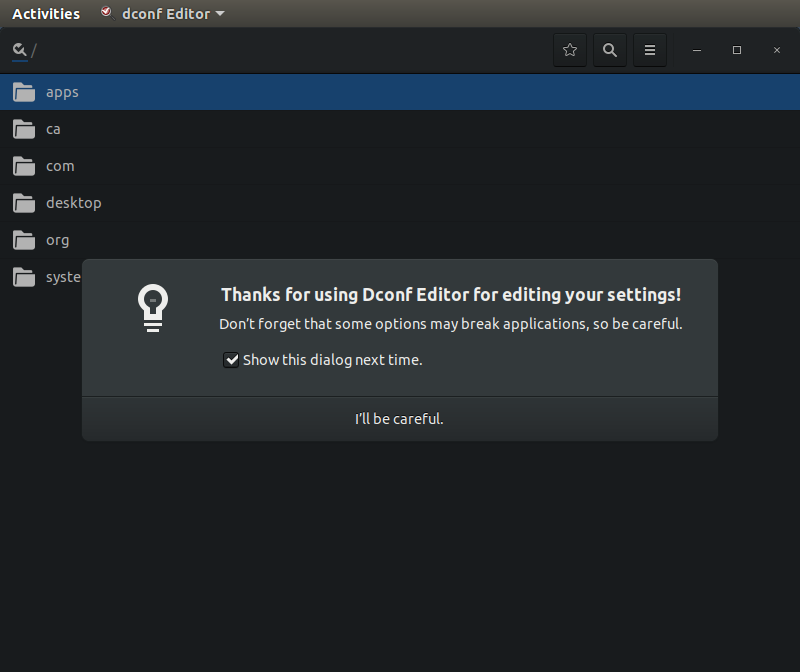
Opened up dconf and navigated toorg gnome settings-daemon plugins and then power.
dangerous

This editor then showed me what I had technically just set. So that was confirmed, but got me no where. Onward to troubleshooting.

Next research led me to this option. But then I couldn’t actually get the command to pair to it as it seems the fn or function key plus the F11 key doesn’t actually show up when setting the shortcut keys. Thoughts? If you’ve got any ideas I’m out of ideas for now, do comment or tweet @Adron.

On with the observations.

Alright, with that fixed I could refocus on the plusses of the keyboard. It’s paired very nicely with the silent mouse, similar to the mouse I reviewed a while back, the M331 Silent Mouse. The keyboard is also extremely silent, with barely any utterance of noise coming from the keyboard. If you like the loud mechanical style, this is not your keyboard. If you want to focus on music or something else while typing then, this is your keyboard.

With that, my quick review and emergency is done. This might be helpful so typed it up but now it’s time to get back to work on some Go prototyping and some solid tunes from Eastern High. For reference, here’s one of their good ones.


Hi, I’m Adron & This is My Gear Setup

I sat down and made a short video of my systems setup and related gear. I’ve always enjoyed seeing other peoples’ setups so figured I’d join the mix and show you all what I work with. Happy to answer any questions too, cheers!

In addition to the video intro I’ve created some additional repositories and related things that I use frequently that may be useful.

Ubuntu Dev Setup Repository: This repo dev-setup-ubuntu has some installation scripts and related collateral that I use to get virtual machines built in an automated way. The focus of this is for setting up development boxes and not for setting up servers.

Video Stream Hacking AKA Twitch & Youtube Live Streaming: This repo is setup with notes and eventually I’ll likely add scripts and related collateral that I use during filming Twitch/Youtube Streams.

Full Gear List: If you’re interested in what makes this possible, at a more detailed level, this is the list to check out.

Thrashing Code Sessions Week 34 of 2018

In this session I talk through the issues I had previous session (but give context, so no need to re-review it) of the environment variable problems I was having. I detail how Jetbrains Rider deals with environment variables for the user session specifically versus how those are dealt with if you’re using something like Visual Studio Code and its built in terminal. After that I move on to doing some refactoring and moving toward some feature additions.

In this session my friend Jeremy joins to setup PXE boot, net install, Debian loads, configuration, Ansible, and a whole lot more to setup a network and cluster of machines for use. It’s long, but he covers a LOT of ground with plenty off tips and tricks to pick up. NOTE: the sound is rough in some places. Will try to fix that in post-production editing. No promises just yet though, just crank it to 11 in the meantime.

Thrashing Code Sessions via Twitch & Kick Ass Dis-Sys Meetup

Got some excellent coding and systems setup coming up in the next few days. Also a meetup on the 28th with Tim Kellogg and Alena Hall presenting on some interesting topics around distributed database data working on Kubernetes and WebAssembly of the hot temperament type. A new surprise guest addition on my Twitch channel that is scheduled to swing into Valhalla and help build out a cluster and respective needed DHCP, DNS, and related configuration for a setup on the metal!

Schedule

Let’s Talk, Even If You’re Not Qualified!

Please help me out if you would and spread the word on this post via the Twitters, LinkedIn, or whatever method you might have to pass on the word. Thanks!

Alright, I don’t usually do this. But I’m going to delve into the topic of a job post we’re working to fill here where I work at DataStax. Specifically it’s the DataStax Developer Advocate Role, which is important to me for a multitude of reasons, but specifically because we’d get to work together. Under most circumstances, I’d probably just let the company look and look and look for somebody, but I’m invested in this team as I really enjoy the work we do and the camaraderie that we have. With that, the position.

We’re looking for someone with a multitude of skills, but more specifically an acumen and interest in learning, exploring data and systems, and helping developers build solid systems with DataStax Enterprise. But that’s just the surface. I wrote about what I, specifically get to do as a developer advocate earlier in a post I titled “Evangelism, Advocacy, and Activism in the Technology Industry“.

The idea that you might be disqualified from the position if you don’t have a specific part of the criteria list, just get that out of your mind. If you see parts that you have, interests that match, let’s talk and see if things would work.

If you of these criteria describe what you’re up to, ping me.

  • You’ve just got out of college and haven’t touched a distributed database before, but would really like to get into distributed databases and distributed systems and tell people about what you’ve learned. Let’s talk. Ping me @Adron.
  • You were in college, but thought “meh, I’m good” and want to join the workforce and have technical chops but have been looking for a good fit for a self-starter, self-organizing type of role. Let’s talk. Ping me @Adron.
  • You’d like to work with a team to make a product better, learn about, teach people what you’ve learned, write about your experiences, and even speak about your experiences. Let’s talk. Ping me @Adron.
  • You’ve built an application in C#, or Java, or Go, or JavaScript but not really done a lot of database work but are interested in going deeper. Let’s talk. Ping me @Adron.
  • You’d like to work with a team remotely, in a position you’d get to learn a lot, experiment, and build applications to test out ideas you have about application development. Let’s talk. Ping me @Adron.
  • You’d like to work on a team that isn’t toxic, has a healthy working practice, communicates regularly and effectively, enjoys learning, teaching, and helping each other get things learned, built, and deployed! Let’s talk. Ping me @Adron.

Hopefully that portrays the idea well. Emphasis on, get in touch with me. I’d love to chat about the role if you’re interested and see if you’d like to move forward. If dev advocate isn’t what you want we’ve got a number of awesome, remote, seriously cool jobs open right now. From site reliability to engineering to sales or what not. I’m happy to get you connected to the right people, so let’s talk. Ping me @Adron.