IDE Launcher via Amtrak Cascades to Portland for ML4ALL

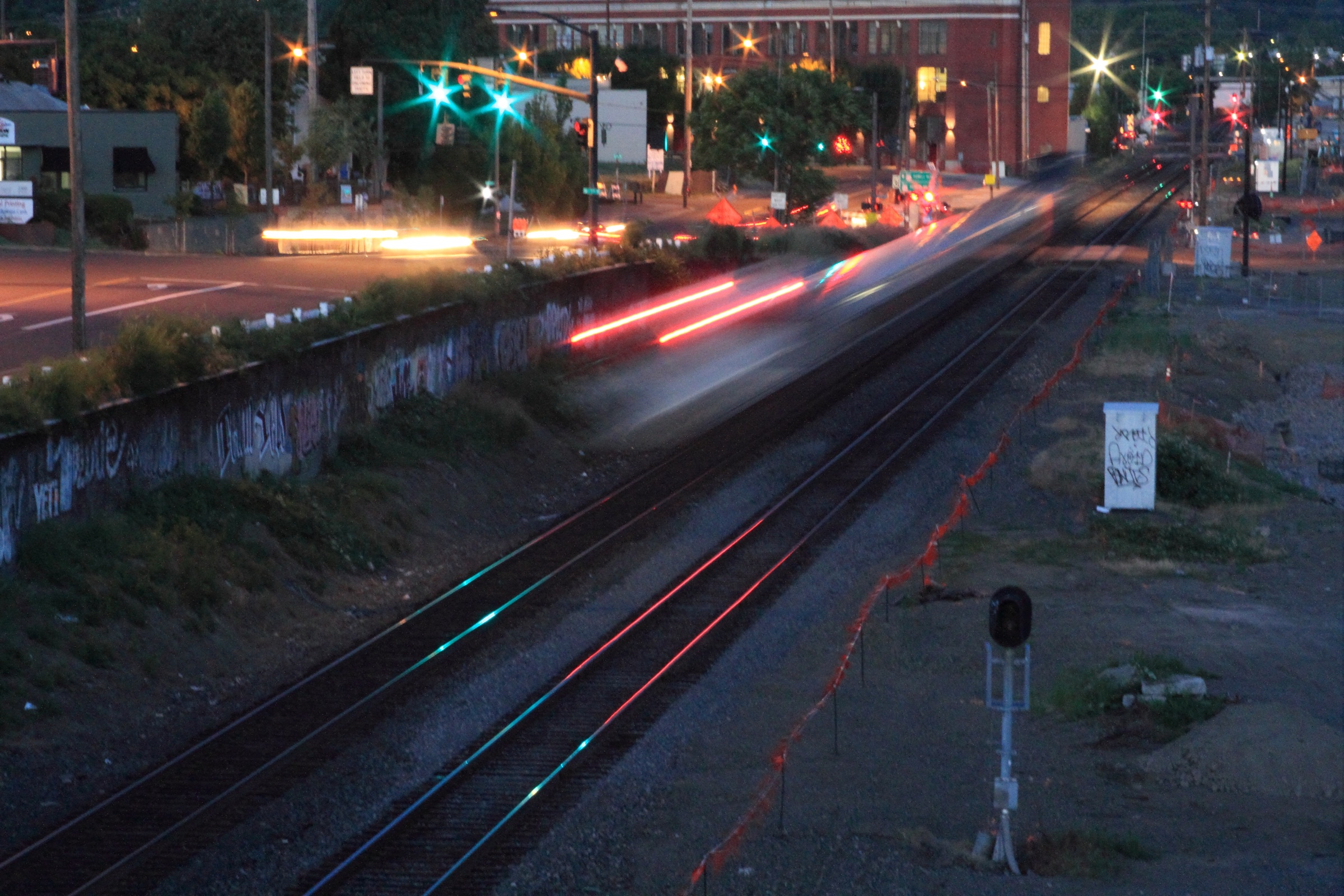
Got fidgety on the train, and just wanted to write code, on the way down to Portland for ML4ALL so I wrote up some decision tree code on determining what IDE’s I want opened up. Ya know, if you do something more than twice it needs automated, so I’ve started the process of automating all startup and shutdown tasks for a day’s coding. Simplistic geeky train geek code fun code is fun geeky train code. Cheers!

package main

import (
	"time"
	"fmt"
)

var sessionMinimal, sessionMedium, sessionLong, sessionZone time.Duration
var language string

func main() {
	sessionMinimal = 15
	sessionMedium = 45
	sessionLong = 90
	sessionZone = 180

	language = "golang"

	openIde("golang", 200)
}

func openIde(languageStack string, expectedCodingTime time.Duration) {
	var ide string

	switch  {
	case expectedCodingTime  sessionZone:
		ide = stackSpecific(languageStack, false, true, true)
		fmt.Printf("Launching: %s", ide)

	}
}

func stackSpecific(language string, fastLaunch bool, featureRich bool, introspective bool) string {
	if fastLaunch == true && featureRich == true && introspective == true {
		return "\n\nCome on, you know better. You get at best two out of three.\n\n"
	}

	if fastLaunch == true && featureRich == true {
		return "Visual Studio Code"
	}

	if featureRich == true && introspective == true {
		switch language {
		case "SQL":
			return "DataGrip"
		case "C":
			return "CLion"
		case "Python":
			return "PyCharm"
		case "golang":
			return "Goland"
		case "java":
			return "IntelliJ"
		case "scala":
			return "IntelliJ"
		case "kotlin":
			return "IntelliJ"
		case "dotnet":
			return "Rider"
		case "csharp":
			return "Rider"
		case "fsharp":
			return "Rider"
		case "vbnet":
			return "Rider"
		case "javascript":
			return "Webstorm"
		case "hcl":
			return "IntelliJ"
		case "ruby":
			return "RubyMine"
		case "swift":
			return "AppCode"
		case "obj-c":
			return "AppCode"
		default:
			return "IntelliJ"
		}
	}

	if featureRich == true {
		switch language {
		case "swift":
			return "AppCode"
		case "obj-c":
			return "AppCode"
		default:
			return "Visual Studio Code"
		}
	}

	if introspective == true {
		switch language {
		case "swift":
			return "AppCode"
		case "obj-c":
			return "AppCode"
		default:
			return "Visual Studio Code"
		}
	}

	if fastLaunch == true  {
		return "Sublime"
	}

	return "No IDE for you."
}

#ML4ALL Bike Ride Details

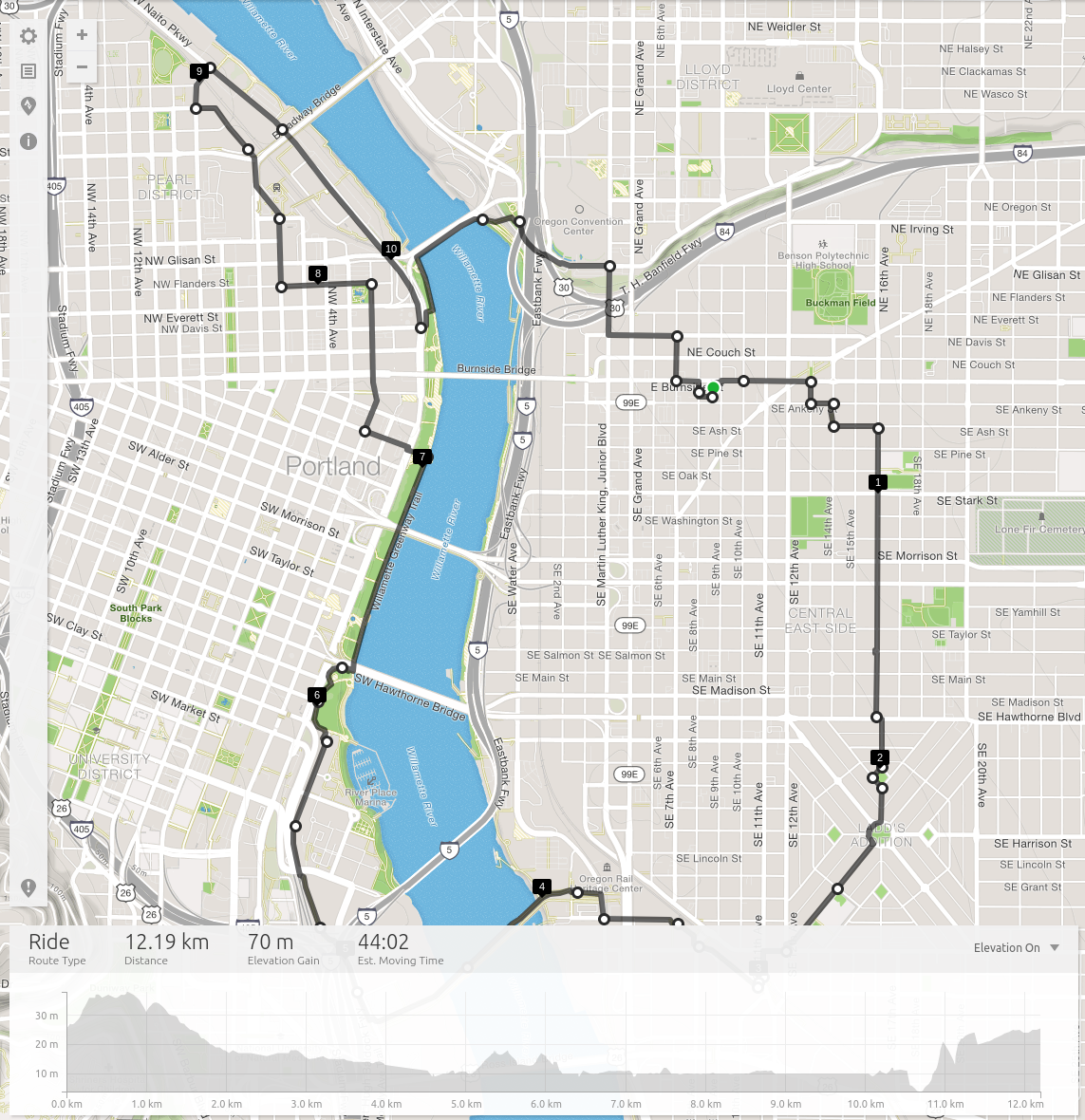
I previously posted the map when I introduced Igor and Carol, but for reference, here it is again with some additional details!

ML4ALL Ride

ML4ALL Ride

The ride will be what I’d call a “slow ride“, which is a super chill, easy going, roll through neighborhoods on the east side of Portland, down through the hip inner south east, and then back up around the waterfront. I’ll also provide a run down of a little Portland information about it’s wonky history, the neighborhood layout (check out point 2 on the map for instance, it’s called Ladd’s Addition), the awesome bridges the city has (two are unique in north America to Portland!), and more.

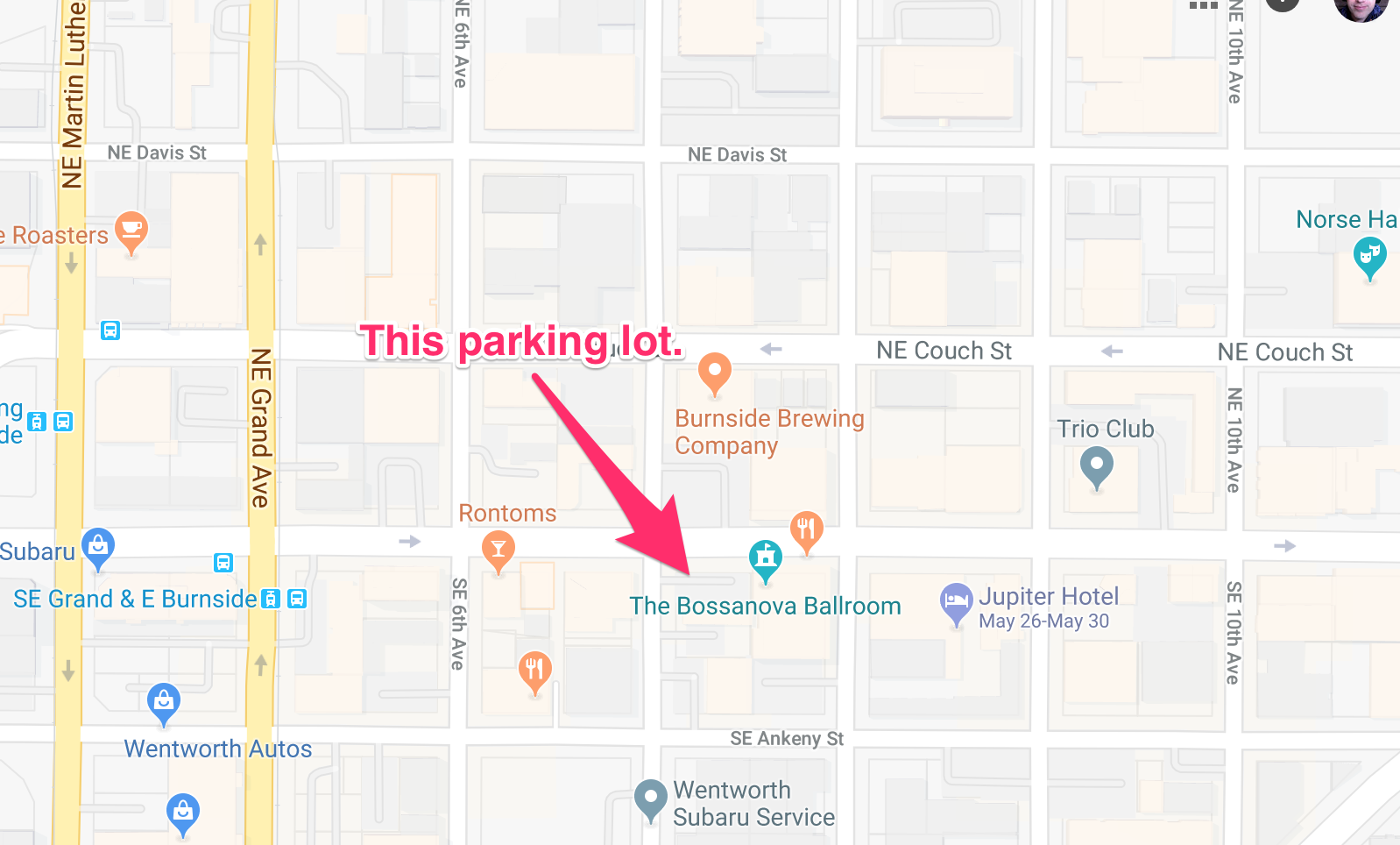
In addition we’ll also make a number of stops for photos, a coffee, and prospective a beer if the crew is up for it. We’ll leave at 2pm, and wrap up at 4pm in time to swing by our respective hotels and such before the evening reception. Our starting point is shown above, it’s a little hard to see but is denoted by a green dot! Basically we’re going to start at the Bossonova Ballroom Parking Lot and depart from there.

parking.png

BIKES @ Bike Town!

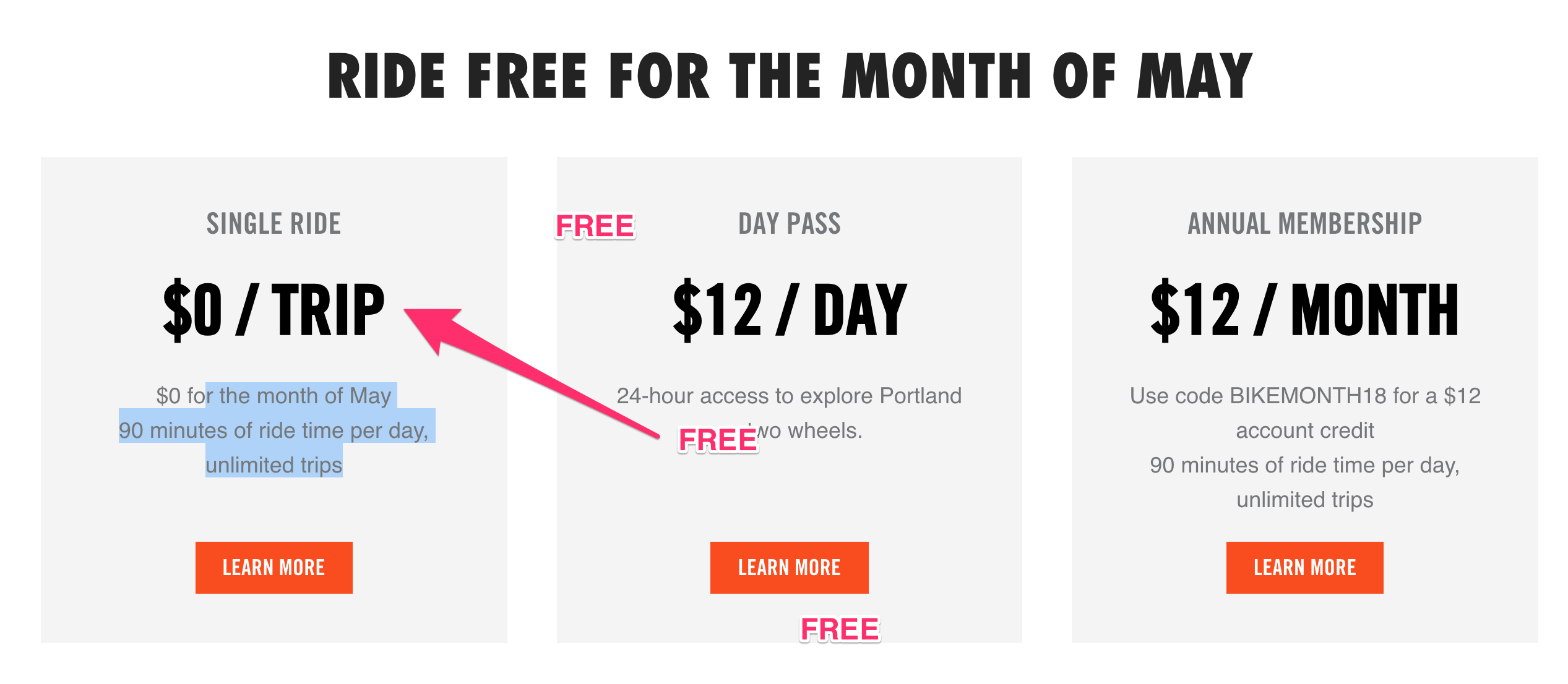
You may ask, but what if I don’t have a bike, I’m coming into town for this? Well, Portland has you covered! The easiest way is to pick up one of Portland’s many bike share bikes via Biketown. Which, to note, is FREE for May! To get a Biketown Bike just look for any of the orange bicycles, there’s a map on the Biketown Site too of all the stations where they’re parked, and when you download the mobile app you can see where any are nearby and easily reserve them and just go pick one up!

free

Barriers To Accelerating The Training Of Artificial Neural Networks – A Systemic Perspective – Meet Manuel Muro

manuel-muroThe real breakthrough for the modern Artificial Intelligence (AI) and Machine Learning (ML) technology explosions started back in 1943 when researchers McCulloch & Pitts came up with a mathematical model to represent that function of the biological neuron; nature’s gift that allows all life to operate and learn over time. Eventually this research would then give birth to the Artificial Neural Network (ANN).

While there are other approaches used today to pursue AI & ML related solutions, the ANN is the oldest and most fundamental approach. While the implementation, a.k.a. the inference, of an ANN is rather straightforward! However, it is the training of the ANN that can get rather complex and more importantly the training can get rather time consuming to the point that finding the answers to the major questions that can help and guide us to a better understand of ANNs is significantly impeded as the time needed to train ANNs can take several hours, weeks and months to complete! Manuel’s presentation takes a look at how our modern computing technology is structured, from a systemic “hardware” perspective, to help better understand the barriers to accelerating the training of ANNs and how those barriers can be properly managed both in the present and going forward.

Meet Manuel Muro (@the_engr_manuel). Formally trained as an electrical engineer at N.C. State, Manuel Muro has been involved in just about every aspect of the design, verification and testing of semiconductor devices particularly Microprocessors and SoC/ASIC/FPGAs along with some Software, RF, Memory, Analog and Mixed-Signal experiences as well. Since 2014, he has been working on the hardware implementation of A.I. systems and more recently has been doing research and development on coming up with novel hardware approaches to significantly accelerate how machine learning is carried out to address both the speed and power consumption issues associated with current approaches.

UUID Solutions w/ Go

gopherWant a UUID generator for your Go code? It’s likely you’ll need one sometime. Well here’s a short code snippet and a review of one of the available UUID libraries available.

The library is avaliable at https://github.com/satori/go.uuid.

With test coverage this library supports the following UUID types. I’ll elaborate on what each of these types are after a code snippet or two.

  • Version 1, based on timestamp and MAC address (RFC 4122)
  • Version 2, based on timestamp, MAC address and POSIX UID/GID (DCE 1.1)
  • Version 3, based on MD5 hashing (RFC 4122)
  • Version 4, based on random numbers (RFC 4122)
  • Version 5, based on SHA-1 hashing (RFC 4122)

First step. Get the library.

go get github.com/satori/go.uuid

Next I whipped up a code file with the example code. I’ve called mine uuid_generation.go.

package main

import (
	"fmt"
	"github.com/satori/go.uuid"
)

func main() {
	// Creating UUID Version 4
	u1 := uuid.NewV4()
	fmt.Printf("UUIDv4: %s\n", u1)

	// Parsing UUID from string input
	u2, err := uuid.FromString("6ba7b810-9dad-11d1-80b4-00c04fd430c8")

	if err != nil {
		fmt.Printf("Something gone wrong: %s", err)
	}

	fmt.Printf("Successfully parsed: %s", u2)
}

View the gist on GitHub

Stepping through the code, the import includes the library being used.

"github.com/satori/go.uuid"

Then at the very beginning of the code a new UUID v4 is created.

u1 := uuid.NewV4()

In the example, a few lines down, there is also code around parsing a UUID.

u2, err := uuid.FromString("6ba7b810-9dad-11d1-80b4-00c04fd430c8")

I wanted to insure the other functions worked for the other versions so I added some code to create and print out each of them. At the same time, I’ve added what each of the versions are as I worked through creating them.

Version 1

A version 1 UUID concatenates the 48-bit MAC address of the machine creating the UUID with a 60-bit timestamp. If the process clock does not advance fast enough, there is a 14-bit clock sequence that extends the timestamp to insure uniqueness. Based on these creation parameters there is a maximum of 18 sextrillion version 1 UUIDs that can be generated per node. So ya know, don’t get carried away or anything. 😛

It’s also important to note, albeit obviously, that this UUID can be tracked back to the MAC Address that was used to create it.

The code for this UUID creation is shown above in the first example.

Version 2

Version 2 is reserved for DCE Security UUIDs. It’s a bit light on details in the RFC (4122). Even though the RFC is light on details, the DCE 1.1 Authentication and Security Services specification clarifies a bit more. Overall this UUID is generally similar to a version 1 UUID except the least significant 8 bits of the clock sequence (clock_seq_low) are replaced by local domain numbers. The least significant 32 bits of the timestamp replaced by an integer identifier.

Updated code with a working example of the specific domains used to create a v2 UUID.

package main

import (
	"fmt"
	"github.com/satori/go.uuid"
)

func main() {
	// Creating UUID Version 1
	uuid1 := uuid.NewV1()
	fmt.Printf("UUIDv1: %s\n", uuid1)

	// Creating UUID Version 2 – Domain Person
	uuid2 := uuid.NewV2(uuid.DomainPerson)
	fmt.Printf("UUIDv2: %s\n", uuid2)

	// Creating UUID Version 2 – Domain Group
	uuid2b := uuid.NewV2(uuid.DomainGroup)
	fmt.Printf("UUIDv2: %s\n", uuid2b)

	// Creating UUID Version 2 – Domain Organization
	uuid2c := uuid.NewV2(uuid.DomainOrg)
	fmt.Printf("UUIDv2: %s\n", uuid2c)

	// Creating UUID Version 4
	uuid4 := uuid.NewV4()
	fmt.Printf("UUIDv4: %s\n", uuid4)

	// Parsing UUID from string input
	u2, err := uuid.FromString("6ba7b810-9dad-11d1-80b4-00c04fd430c8")

	if err != nil {
		fmt.Printf("Something gone wrong: %s", err)
	}

	fmt.Printf("Successfully parsed: %s\n", u2)
}

View the gist on GitHub

Version 3 and 5

Version 3 and 5 are similar UUIDs generated from hashing a namespace identifier and name. Version 5 uses SHA1 and version 3 uses MD5 as the hashing algorithm. The namespace identifier itself is a UUID and is used to represent the namespaces for URLs, fully qualified domain names (FQDNs), object identifiers, and X.500 distinguished names. Other UUIDs could be used as namespace designators, but the aforementioned are usually used.

To note, RFC 4122 refers version 5 (SHA1) over version 3 (MD5), and suggests against either as security credentials.

Here’s the added examples of version 3 and 5.

package main

import (
	"fmt"
	"github.com/satori/go.uuid"
)

func main() {
	// Creating UUID Version 1
	uuid1 := uuid.NewV1()
	fmt.Printf("UUIDv1: %s\n", uuid1)

	// Creating UUID Version 2 – Domain Person
	uuid2 := uuid.NewV2(uuid.DomainPerson)
	fmt.Printf("UUIDv2: %s\n", uuid2)

	// Creating UUID Version 2 – Domain Group
	uuid2b := uuid.NewV2(uuid.DomainGroup)
	fmt.Printf("UUIDv2: %s\n", uuid2b)

	// Creating UUID Version 2 – Domain Organization
	uuid2c := uuid.NewV2(uuid.DomainOrg)
	fmt.Printf("UUIDv2: %s\n", uuid2c)

	// Creating UUID Version 3
	uuid3 := uuid.NewV3(uuid.NamespaceDNS, "someplace.org")
	fmt.Printf("UUIDv2: %s\n", uuid3)

	// Creating UUID Version 4
	uuid4 := uuid.NewV4()
	fmt.Printf("UUIDv4: %s\n", uuid4)

	// Creating UUID Version 5
	uuid5 := uuid.NewV5(uuid.NamespaceURL, "blaghdblagh.com")
	fmt.Printf("UUIDv5: %s\n", uuid5)

	// Parsing UUID from string input
	u2, err := uuid.FromString("6ba7b810-9dad-11d1-80b4-00c04fd430c8")

	if err != nil {
		fmt.Printf("Something gone wrong: %s", err)
	}

	fmt.Printf("Successfully parsed: %s\n", u2)
}

View the gist on GitHub

Enjoy those UUIDs, happy coding!
Restarting Data Diluvium – Four Steps

I’ve got three steps I’m going through to reboot the Data Diluvium Project & the respective CLI app I started about a year ago. I got a little ways into the project and then a bit distracted, it happens. Here’s the next steps I’m taking and for those interested in helping out I’ll be blogging the work here, and also sending out updates via my Thrashing Code Newsletter. You can sign up and select all the news or just the open source project news if you just want to follow the projects.

Step 0: Write Up the Ideas Behind the Project

Ok, so this will arrive subsequently. So far, just wanted to get these notes and intentions written down. Previously I’d written about the idea here, and here. Albeit after many discussion with a number of people, there will be some twists and turns to the project to make it more useful and streamlined in CLI & services.

Step 1: Cleanup The Repository

Currently the repository is kind of a mess. I’m going to aim to do the following over the next few days.

  • Write up contributor issues/files for the repo.
  • Rewrite the documentation (initial docs that is) to detail the intent of the data generator ideas.
  • Incorporate the CLI to a repo that is parallel to this repo that is designed specifically to work against this repo’s project.
  • Write up a README.md that will detail what Data Diluvium is exactly as well as point to the project site and provide installation and setup instructions.
  • Setup the first databases to target as Postgresql, Cassandra, and *maybe* one other database, but I’m not sure which one. Feel free to file an issue with a suggestion.

Step 2: Cleanup & Publish a new Project Website

This is a simple one, I need to write up copy with the details, specific with feature descriptions and intended examples. This will provide the start point to base the work for the project. It will be similar to one of those living documents in that the documentation will, can, and should change as the project is developed.

Step 3: Get More Cats Coding!

catI’ve pinged a few people I know are interested in helping out, but we’re always looking for others to help with PRs and related efforts around the project(s). If you’re game, the easiest way to get started would be to ping me directly via DM on Twitter @adron and to sign up on my Thrashing Code Newsletter and select Open Source Projects Only (unless you want all the things).

…anyway, getting to work on these tasks. Happy coding!