Tomorrow (Thursday) at Blue Moon Burgers in Fremont will be a nerd lunch. If you’re interested you should definitely head over that way and introduce yourself. (I’m 90% sure I’ll be there)
http://www.yelp.com/biz/blue-moon-burgers-fremont-seattle
-Cheers
I’ve been working through an architecture scenario recently. This is what I have so far. Multiple external web services, some SOAP and some REST, and some data sources in a SQL Server Database, Azure Table Storage, and flat files of some sort. All of these sources need to be accessed by a web site for read-only display. In the diagram below I’ve drawn out the primary three points of reference.
- The services that are external; Contract, Table Store, Document, Search, and Help Desk Services.
- The Website Web Services Facade, which would be an aggregated layer that then provides the various services via an internally controlled services layer.
- On top of that will be the web site, accessing the services from the aggregated layer with jQuery.
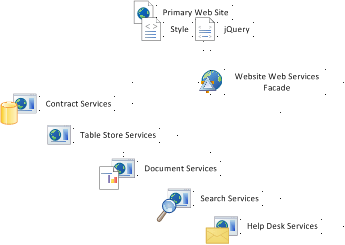
Basic Three Tiers
After creating this to get some basic idea of how these things should fit together, I moved on to elaborate on the web services aggregation layer. What I’ve sketched in this diagram is the correlation to architectural elements and the physical environments they would prospectively be deployed to. Again, broken out by the three tiers as shown above.
- Website and the respective jQuery, AJAX, and Market/CSS for display.
- Web Services, which include the actual architecture breakout; Facade Interface, Facade Aggregation Component, Cache & Non-cached DTOs (Data Transfer Objects), Cache Database/Storage, Caching Process, Lower Layer Aggregation Component, and the Poller Process for polling the external services.
- The cache is intended to use SQL Server, thus the red call out to the physical SQL Server cluster.
- The last tier, which isn’t being developed, but just providing data is the External Services, primarily shown to provide a full picture of all the layers.
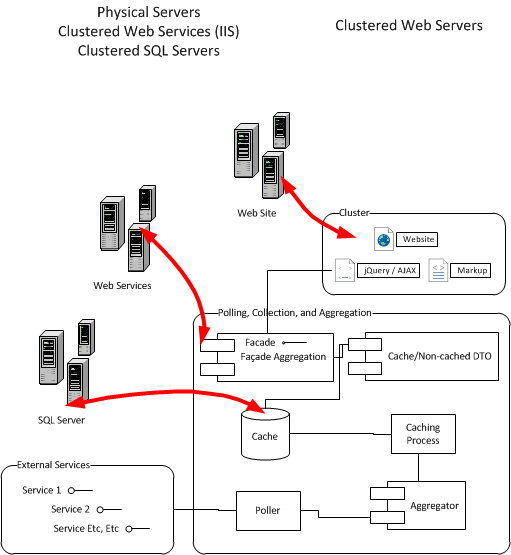
Aggregate Web Services
I primarily drew up these diagrams for discussion of the architecture, poke holes in it, or otherwise. Which speaking of, if any readers have input, question, or are curious please type up a comment and I’ll answer it ASAP.
As the effort continues there are some other great how-to write ups I will be putting together. Everything from unit testing, mocking (with moq), how to setup test services, test services, and other elements of the project. I’ll have all this coming, so keep reading & let me know what you think of the design so far, subscribe via e-mail (look to the metadata section below), or grab the RSS for the blog (see below also).


Just this week I was reading up on two of my hosting providers; smugmug for photographs and videos, and respositoryhosting.com for source control and project tracking. It occurred to me that both companies keep massive uptime and costs to a minimum by using cloud computing technologies. The provider for both being Amazon Web Services.

Smugmug
The CEO of SmugMug Don MacAskill writes a blog, and a long while ago wrote an entry titled “Amazon S3: Show me the Money”. This is a great post about how Amazon S3 has saved SmugMug Millions. Also note, the blog entry is from 2006, so I’d assume that they’ve saved millions more since then!
For more information be sure to read Don’s Blog Entry or check out the case study at Amazon.
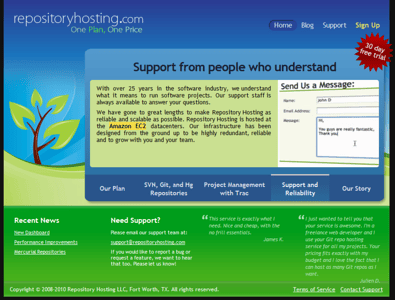
EC2
The other site, repositoryhosting.com provides source control via Subversion, Mercurial, or Git. I’ve started using Git and Mercurial more and more, and with my previous host just had Git and Subversion. Don’t get me wrong, my previous source control host was awesome but I really needed access to Mercurial for various reasons. One thing that my previous source control host, Unfuddle, and my current new host have in common is they use EC2 and S3 features of Amazon Web Services!
A couple weeks ago on the Amazon Web Services Blog I experienced a stick up. I shot off a comment about how cool it would be to see some of the AWS Stickers in the wild as one of the comment writers wrote. Jeff Barr, one of the AWS Evangelists, sent me some stickers via the old snail mail. I had a few in service already, but have gone about plastering a few of my other machines and such with my new AWS Geek Cred. Here are a few pictures of my geek cred in the wild.
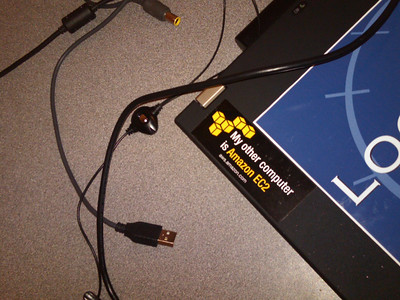
Laptop w/ AWS Sticker

MIFI w/ WIFI to the AWS
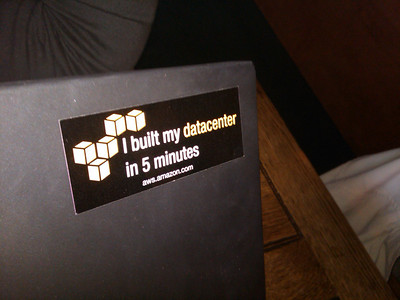
I built my datacenter in 5 minutes.
Amazon Box Guy

On the bus… a bit of EC2 and S3
It’s been fun snagging these images here and there. I suspect I’ll probably end up with more in the future. I’d love to see any that others might have snagged so send em’ this way – and if they’re Amazon Web Services – send em’ over to Jeff Barr. I imagine he has a massive sticker collection! 😮
First thing today I started up Internet Explorer to view Gmail. I’m sure this is just some fluke but couldn’t help but get a laugh out of this message.
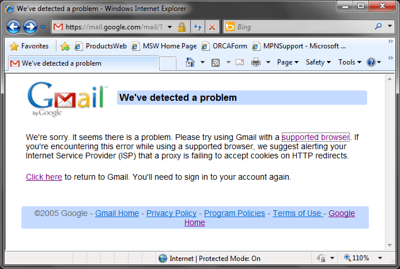
IE somehow was found to be an unsupported browser. That’s just funny on so many levels.