After 816 Days I’m Taking a Job!

The new mission, or as some may call it, a job! The context for those that might not be familiar with my adventures is that I’ve been working independently as a consultant, contractor, community builder, beer drinker, hacker, teacher, trainer, mentor, curriculum builder, and training content creator. The last time I held something that resembled a job was 560 business days ago, or more specifically 816 days ago. Honestly, I’m not even sure that it could be considered a job, it was a strange gig to say the least. Recently after this long break I’m taking up a new job position with some interesting objectives and priorities.

Here’s some of what I wrote to outline the specific objectives and priorities for the new team I’m joining and to insure I had clear priorities for myself. I do, after all, prize clear objectives very high on the “things that are useful & cool” list.

Objectives

  • Community Contributions – Help launch and build the community around the release of a yet to be announced open source micro-services framework (we’re currently calling it the Forge Framework) following an open source software model. I’ll also be telling you about all the work that has gone into this framework so far form Jesse, Beau, and the team. This will cover their various battles, from discussions to decisions, all leading up to the release of the framework. At this point, our time frame to release this is somewhere around the Feburary time frame. Currently it is in production, but we will need to make sure we have a reason repository of code we can release. We’re aiming for it to be in good shape for everybody to use when it’s released. (I’ll be managing the overall effort, so ping me if you’re interested in jumping into the project)
  • Site Reliability – Help build infrastructure for site reliability, deployment, etc (immutable, container based, etc) to deliver the company’s key products, APIs, micro-services, and improve the back-end deployment and delivery options and capabilities. This is going to include a lot of cool technology including things like Docker, kafka, CoreCLR, and a host of other things that I’ll be blogging about on a regular basis. Along with this infrastructure and site reliability I’ll help set guidelines, approaches, and future objectives for delivery and deployment of software. When I implement things, I’ll aim to blog it, when I learn new tips and tricks, I’ll aim to blog it, and whenever I break a build, I’ll blog that too. Whatever it is, I’m aiming to increase my frequency a great deal in the coming days, weeks, and months.
  • Talent Recon – I’m looking for, scouting around like force recon, and connecting talent to future work we will be having come open in early 2016. (Again, this is where I get to come and hack with you, help build awesome open source software, and let you my fellow coding cohort know about the company’s existing and upcoming awesome work we’ll be hiring for! For those that know me, you know I’m serious about making sure I line up the right people with the right types of gigs, I’m no recruiter, I’m a coder, so I fight against wildly innappropriate misalignment and related silliness!)

These are my top priorities as I step into this role with the Quote Center, a kind of laboratory of inventive ideas for Home Depot. You’ll be hearing a lot more about this in the coming days, and if you’re interested in working with me and an awesome group of people – reach out and let me know @Adron on Twitter or just email me. Cheers!

_____101 |> F# Coding Ecosystem: Paket && Atom w/ Paket

One extremely useful tool to use with F# is Paket. Paket is a package manager that provides a super clean way to manage your dependencies. Paket can handle everything from Nuget dependencies to git or file dependencies. It really opens up your project capabilities to easily pull in and handle dependencies, whereever they are located.

I cloned the Paket Project first, since I would like to have the very latest and help out if anything came up. For more information on Paket check out the about page.

git clone git@github.com:fsprojects/Paket.git

I built that project with the respective ./build.sh script and all went well.

./build.sh

NOTE – Get That Command Line Action

One thing I didn’t notice immediately in the docs (I’m putting in a PR right after this blog entry) was anyway to actually get Paket setup for the command line. On bash, Windows, or whatever, it seemed a pretty fundamental missing piece so I’m going to doc that right here but also submit a PR based on the issue I added here). It could be I just missed it, but either way, here’s the next step that will get you setup the rest of the way.

./install.sh

Yeah, that’s all it was. Kind of silly eh? Maybe that’s why it isn’t documented that I could see? After the installation script is run, just execute paket and you’ll get the list of the various commands, as shown below.

$ paket
Paket version 1.31.1.0
Command was:
  /usr/local/lib/paket/paket.exe
available commands:

	add: Adds a new package to your paket.dependencies file.
	config: Allows to store global configuration values like NuGet credentials.
	convert-from-nuget: Converts from using NuGet to Paket.
	find-refs: Finds all project files that have the given NuGet packages installed.
	init: Creates an empty paket.dependencies file in the working directory.
	auto-restore: Enables or disables automatic Package Restore in Visual Studio during the build process.
	install: Download the dependencies specified by the paket.dependencies or paket.lock file into the `packages/` directory and update projects.
	outdated: Lists all dependencies that have newer versions available.
	remove: Removes a package from your paket.dependencies file and all paket.references files.
	restore: Download the dependencies specified by the paket.lock file into the `packages/` directory.
	simplify: Simplifies your paket.dependencies file by removing transitive dependencies.
	update: Update one or all dependencies to their latest version and update projects.
	find-packages: EXPERIMENTAL: Allows to search for packages.
	find-package-versions: EXPERIMENTAL: Allows to search for package versions.
	show-installed-packages: EXPERIMENTAL: Shows all installed top-level packages.
	pack: Packs all paket.template files within this repository
	push: Pushes all `.nupkg` files from the given directory.

	--help [-h|/h|/help|/?]: display this list of options.

Paket Elsewhere && Atom

If you’re interested in Paket with Visual Studio I’ll let you dig into that on your own. Some resources arePaket Visual Studio on Github andPaket for Visual Studio. What I was curious though was Paket integration with either Atom or Visual Studio Code.

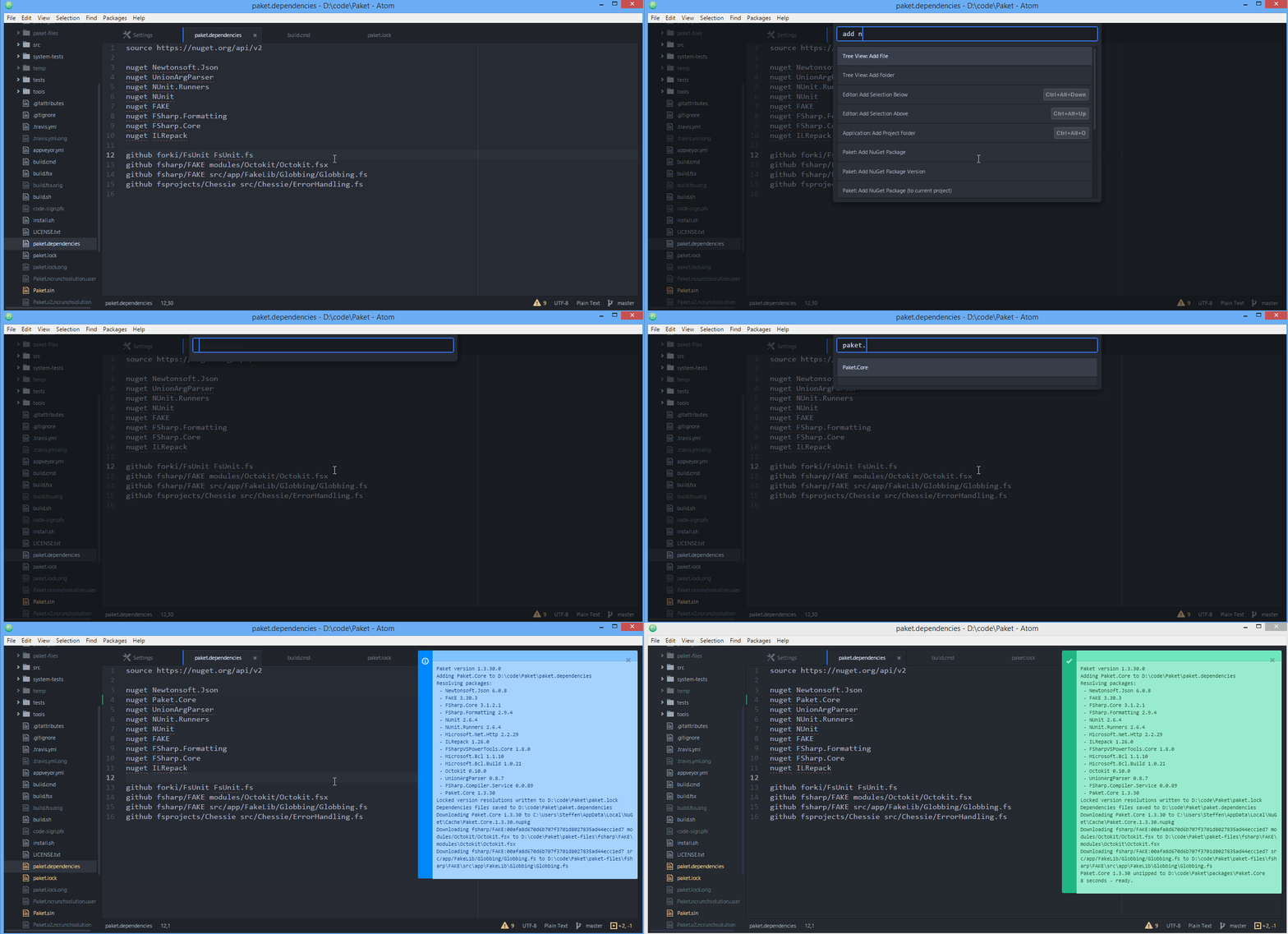
Krzysztof Cieślak (@k_cieslak) and Stephen Forkmann (@sforkmann) maintain the Paket.Atom Project and Krzysztof Cieślak also handles the atom-fsharp project for Atom. Watch this gif for some of the awesome goodies that Atom gets with the Paket.Atom Plugin.

Click for fullsize image of the gif.

Click for fullsize image of the gif.

Getting Started and Adding Dependencies

I’m hacking along and want to add some libraries, how do I do that with Paket? Let’s take a look. This is actually super easy, and doesn’t make the project dependentant on peripheral tooling like Visual Studio when using Paket.

The first thing to do, is inside the directory or project where I need the dependency I’ll intialize the it for paket.

paket init

The next step is to add the dependency or dependencies that I’ll need. I’ll add a Nuget package that I’ll need shortly. The first package I want to grab for this project is FsUnit, a testing framework project managed and maintained by Dan Mohl @dmohl and Sergey Tihon @sergey_tihon.

paket add nuget FsUnit

When executing this dependency addition the results displayed show what other dependencies were installed and which versions were pegged for this particular dependency.

✔ ~/Codez/sharpPaketsExample
15:33 $ paket add nuget FsUnit
Paket version 1.33.0.0
Adding FsUnit to /Users/halla/Codez/sharpPaketsExample/paket.dependencies
Resolving packages:
 -- FsUnit 1.3.1
 -- NUnit 2.6.4
Locked version resolution written to /Users/halla/Codez/sharpPaketsExample/paket.lock
Dependencies files saved to /Users/halla/Codez/sharpPaketsExample/paket.dependencies
Downloading FsUnit 1.3.1 to /Users/halla/.local/share/NuGet/Cache/FsUnit.1.3.1.nupkg
NUnit 2.6.4 unzipped to /Users/halla/Codez/sharpPaketsExample/packages/NUnit
FsUnit 1.3.1 unzipped to /Users/halla/Codez/sharpPaketsExample/packages/FsUnit
3 seconds -- ready.

I took a look in the packet.dependencies and packet.lock file to see what were added for me with the paket add nuget command. The packet.dependencies file looked like this now.

source https://nuget.org/api/v2

nuget FsUnit

The packet.lock file looked like this.

NUGET
  remote: https://nuget.org/api/v2
  specs:
    FsUnit (1.3.1)
      NUnit (2.6.4)
    NUnit (2.6.4)

There are a few more dependencies that I want, so I went to work adding those. First of this batch that I added was FAKE (more on this in a subsequent blog entry), which is a build tool based off of RAKE.

paket add nuget FAKE

Next up was FsCheck.

paket add nuget FsCheck

The paket.dependencies file now had the following content.

source https://nuget.org/api/v2

nuget FAKE
nuget FsCheck
nuget FsUnit

The paket.lock file had the following items added.

NUGET
  remote: https://nuget.org/api/v2
  specs:
    FAKE (4.1.4)
    FsCheck (2.0.7)
      FSharp.Core (>= 3.1.2.5)
    FSharp.Core (4.0.0.1)
    FsUnit (1.3.1)
      NUnit (2.6.4)
    NUnit (2.6.4)

Well, that got me started. The code repository at this state is located on this branch here of the sharpSystemExamples repository. So on to some coding and the next topic. Keep reading, subsribe, or hit me up on twitter @adron.

References

Docker Tips n’ Tricks for Devs – #0001 – 3 Second to Postgresql

The easiest implementation of a docker container with Postgresql that I’ve found recently allows the following commands to pull and run a Postgresql server for you.

docker pull postgres:latest
docker run -p 5432:5432 postgres

Then you can just connect to the Postgresql Server by opening up pgadmin with the following connection information:

  • Host: localhost
  • Port: 5432
  • Maintenance DB: postgres
  • Username: postgres
  • Password:

With that information you’ll be able to connect and use this as a development database that only takes about 3 seconds to launch whenever you need it.

The Latest 5th Generation Dell XPS 13 Developer Edition

Just about 4 weeks ago now I purchased a Dell XPS 13 Developer Edition directly from Dell. The reason I purchased this laptop is because of two needs I have while traveling and writing code.

  1. I wanted something small, compact, that had reasonable power, and…
  2. It needed to run Linux (likely Ubuntu, but I’d have taken whatever) from the factory and have active support.

Here’s my experience with this machine so far. There are lots of good things, and some really lousy things about this laptop. This is the lowdown on all the plusses and minuses. But before I dive into the plusses and minuses, it is important to understand more of the context in which I’m doing this review.

  • Dell didn’t send me a free laptop. I paid $1869 for the laptop. Nobody has paid me to review this laptop. I purchased it and am reviewing it purely out of my own interest.
  • The XPS 13 Developer Edition that I have has 8GB RAM, 512 GB SSD, and the stunningly beautiful 13.3-inch UltraSharp™ QHD+ (3200 x 1800) InfinityEdge Touch Display.
  • Exterior Chassis Materials -> CNC machined aluminum w/ Edge-to-edge Corning® Gorilla® Glass NBT™ on QHD+ w/ Carbon fiber composite palm rest with soft touch paint.
  • Keyboard -> Full size, backlit chiclet keyboard; 1.3mm travel
  • Touchpad -> Precision touchpad, seamless glass integrated button

Negatives

The Freakin’ Keyboard and Trackpad

Let’s talk about the negatives first. This way, if you’re looking into purchasing, this will be a faster way to go through the decision tree. The first and the LARGEST negative is the keyboard. Let’s just talk about the keyboard for a moment. When I first tweeted about this laptop, one of the first responses I got in relation to this machine was a complaint – and a legitimate one at that – is the blasted keyboard.

There are plenty of complaints and issues listed here, here, and here via the Dell Support site. Twitter is flowing with such too about the keyboard. To summarise, the keyboard sticks. The trackpad, by association, also has some sticky behavior.

Now I’m going to say something that I’m sure some might fuss and hem and haw about. I don’t find the keyboard all that bad, considering it’s not an Apple chiclet keyboard and Apple trackpad, which basically make everything else on the market seem unresponsive and unable to deal with tactile response in a precise way. In that sense, the Dell keyboard is fine. I just have to be precise and understand how it behaves. So far, that seems to resolve the issue for me, same for the trackpad related issues. But if you’re someone who doesn’t type with distinct precision – just forget this laptop right now. It’s not even worth the effort. However, if you are precise, read on.

The Sleeping Issue

When I first received the laptop several weeks ago it had a sleeping issue. Approximately 1 out of every 3-5 times I’d put the computer to sleep it wouldn’t resume from sleep appropriately. It would either hang or not resume. This problem however, has a pretty clean fix available here.

Not Performant

Ok, so it has 8GB RAM, and SSD, and an i7 Proc. However it does not perform better than my 2 year old Mac Book Air (i7, 8 GB RAM, 256 GB SSD). It’s horribly slow compared to my 15” Retina w/ 16GB RAM and i7 Proc. Matter of fact, it doesn’t measure up well against any of these Apple machines. Linux however has a dramatically smaller footprint and generally performs a lot of tasks as well or better than OS-X.

When I loaded Steam and tried a few games out, the machine wasn’t even as performant as my Dell 17” from 2006. That’s right, I didn’t mistype that, my Dell from 2006. So WTF you might ask – I can only guess that it’s the embedded video card and shared video card memory or something. I’m still trying to figure out what the deal is with some of these performance issues.

However… on to the positives. Because there is also positives about the performance it does have.

Positives

The Packaging

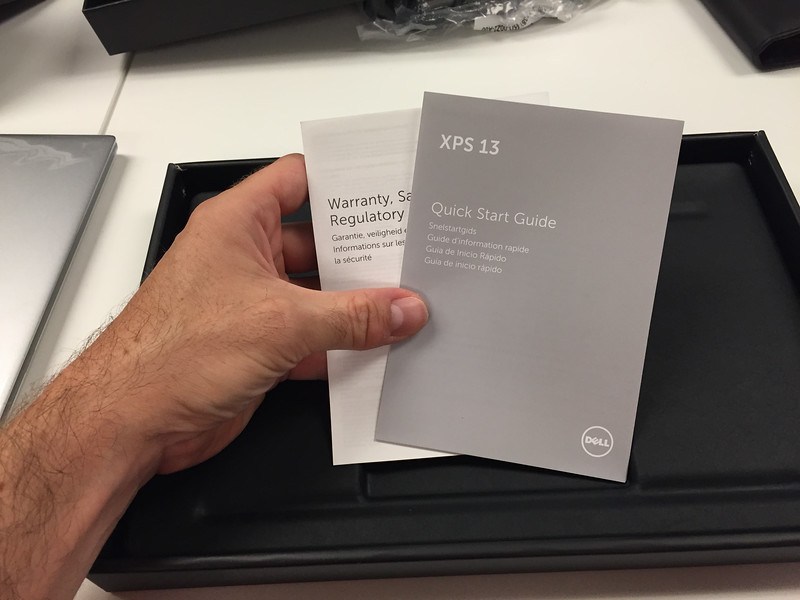
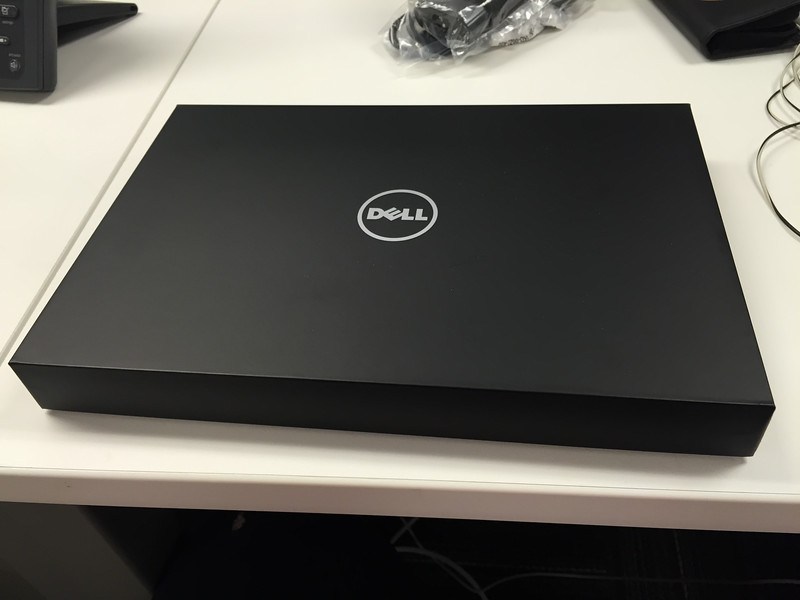
Well the first thing you’ll notice, that I found to be a positive, albeit an insignificant one but it did make for a nice first experience is the packaging. Dell has really upped their game in this regard, instead of being the low-end game, Dell seems to have gotten some style and design put together for the packaging.
01

The box was smooth, and seamless in most ways. Giving a very elegant feel. When I opened up the box the entire laptop was in the cut plastic wrap to protect all the surfaces.
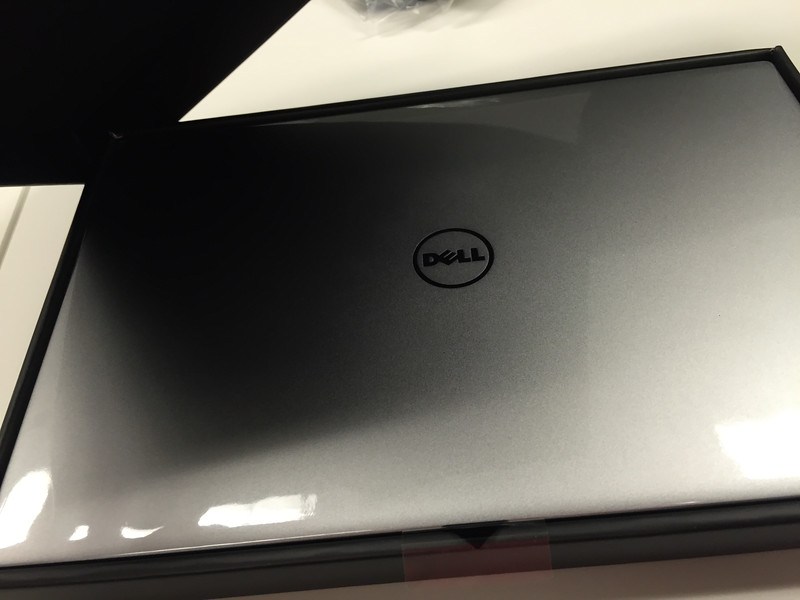
02

03

Removing the cut plastic is easy enough. It is held together with just some simple stickiness (some type of clean glue).

04

Once off the glimmer of the machine starts to really show. The aluminum surface material is really really nice.
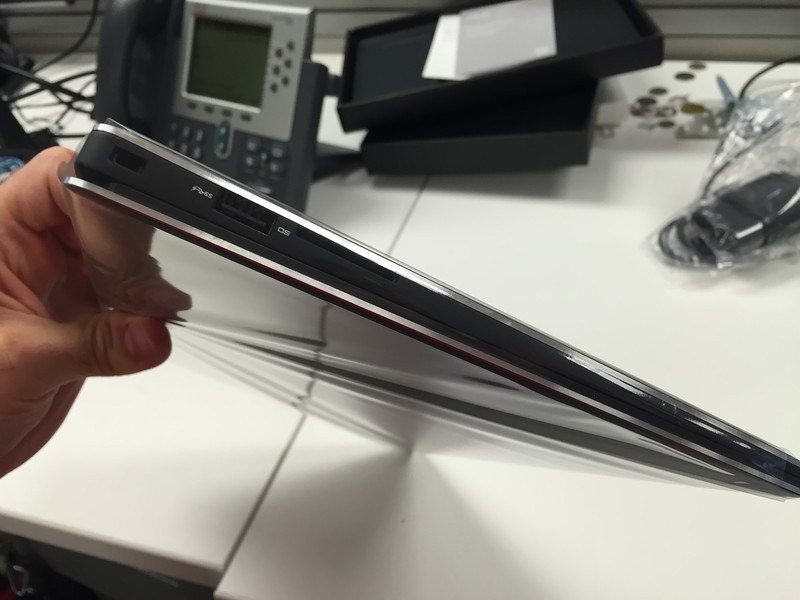
05

The beauty of an untainted machine running Ubuntu Linux. Check out that slick carbon fiber mesh too.
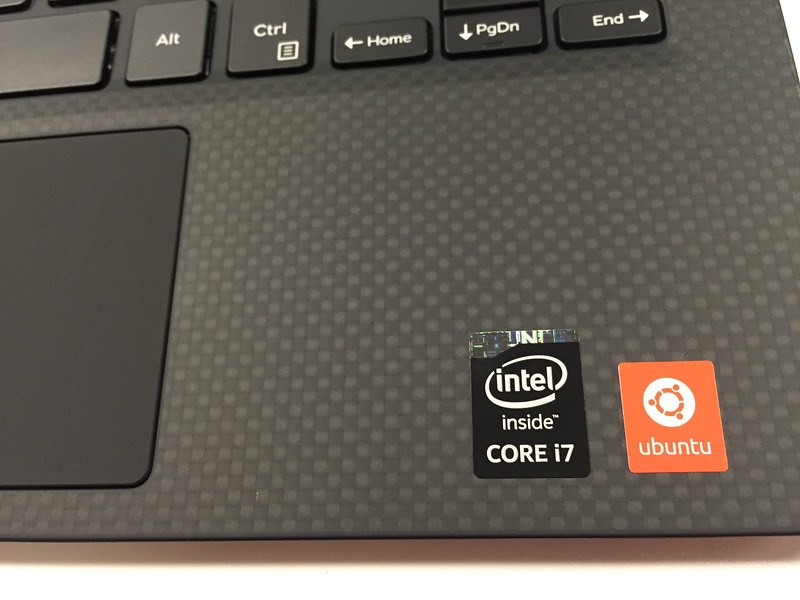
06

Here it is opened and unwrapped, not turned on yet and the glimmer of that glossy screen can be seen already.
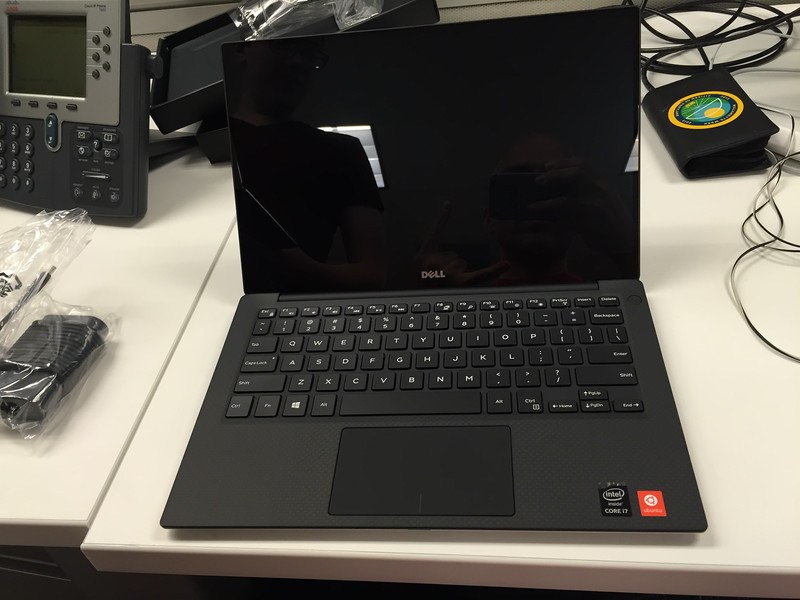
07

Here’s a side by side comparison of the screens for the glossy hi res screen against the flat standard res screen. Both are absolutely gorgeous screens, regardless of which you get.
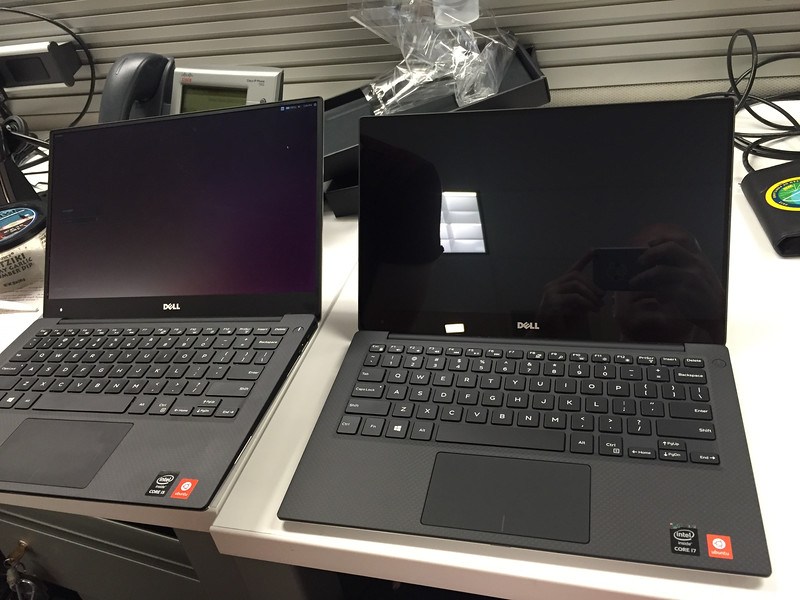
08

Booting up you can see the glimmer on my XPS 13.
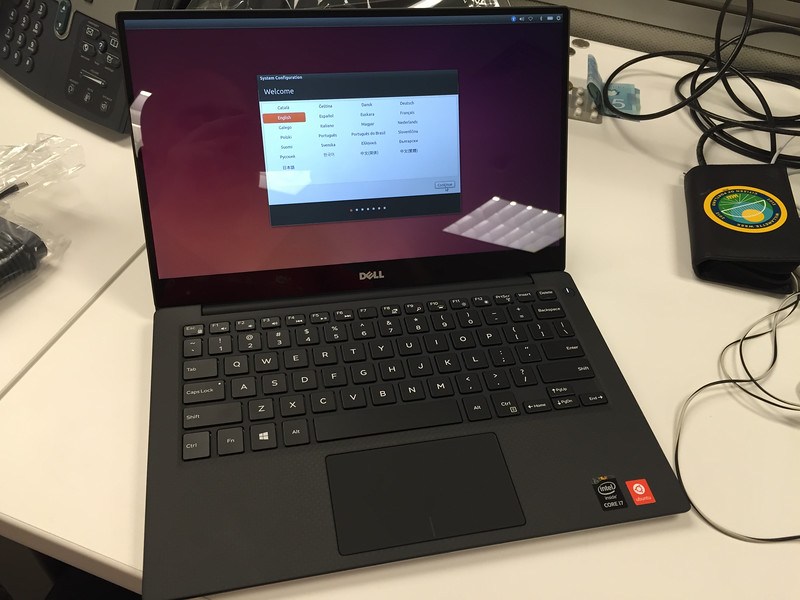
09

The Screen

The screen, even during simple bootup and first configuration of Ubuntu like this it is evident that the screen is stunning. The retina quality screen on such a small form factor is worth the laptop alone. The working resolution is 1920×1080, but of course the real resolution is 3200×1800. Now, if you want, you could run things at this resolution at your own risk to blindness and eye strain, but it is possible.

The crispness of this screen is easily one of the best on the market today and rivals that of the retina screens on any of the 13” or 15” Apple machines. The other aspect of the screen, which isn’t super relevant when suing Ubuntu is that it is touch enabled. So you can poke things and certain things will happen, albeit Ubuntu isn’t exactly configured for touch display. In the end, it’s basically irrelevant that it is a touch screen too, except in the impressive idea that they got a touch screen of this depth on such a small machine!
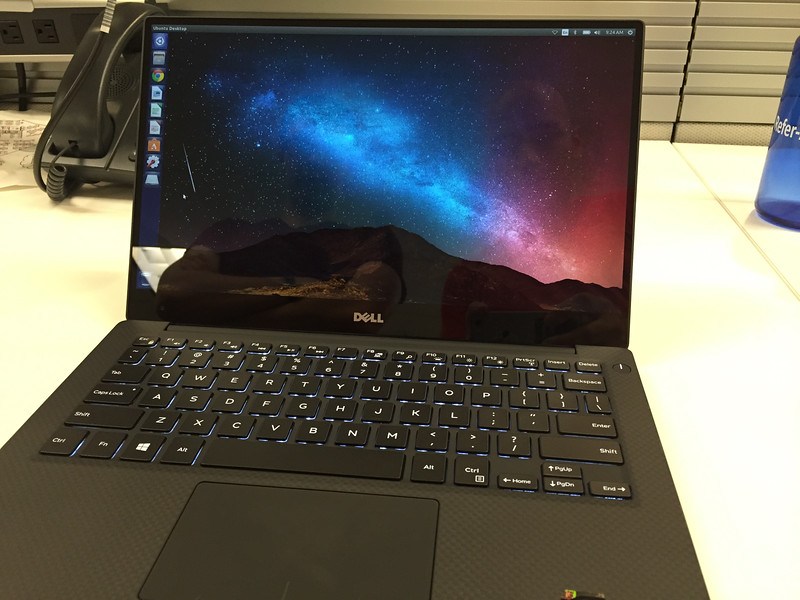
10

Here’s a little more of the glimmer, as I download the necessary things to do some F# builds.
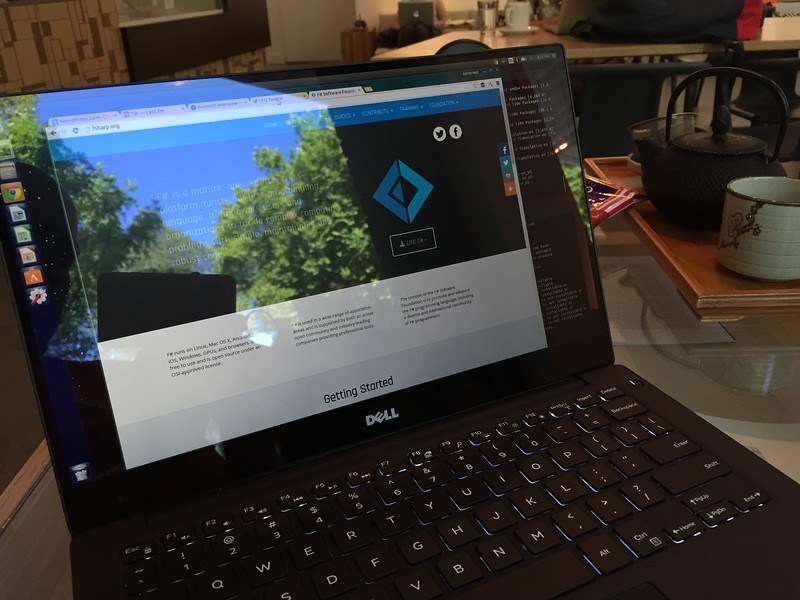
Setting up F#

Performance and Boot Time

Boot time is decent. I’m not going to go into the seconds it takes but it’s quick. Also when you get the update for sleep, that’s really quick too. So no issue there at all.

On the performance front, as I mentioned in the negatives there are some issues with performance. However, for many – if not most – everyday developer tasks like building C#, F#, C++, C, Java, and a host of other languages the machine is actually fairly performant.

In doing other tasks around Ruby, PHP (yes, I wrote a little bit of PHP just to check it out, but I did it safely and deleted it afterwards), JavaScript, Node.js, and related web tasks were also very smooth, quick, and performant. I installed Atom, Sublime 3, WebStorm, and Visual Studio Code and tried these out for most of the above web development. Everything loads really fast on the machine and after a few loads they even get more responsive, especially WebStorm since it seems to load Java plus the universe.

Overall, if you do web development or some pretty standard compilable code work then you’ll be all set with this machine. I’ve been very happy with it’s performance in these areas, just don’t expect to play any cool games with the machine.

Weight and Size

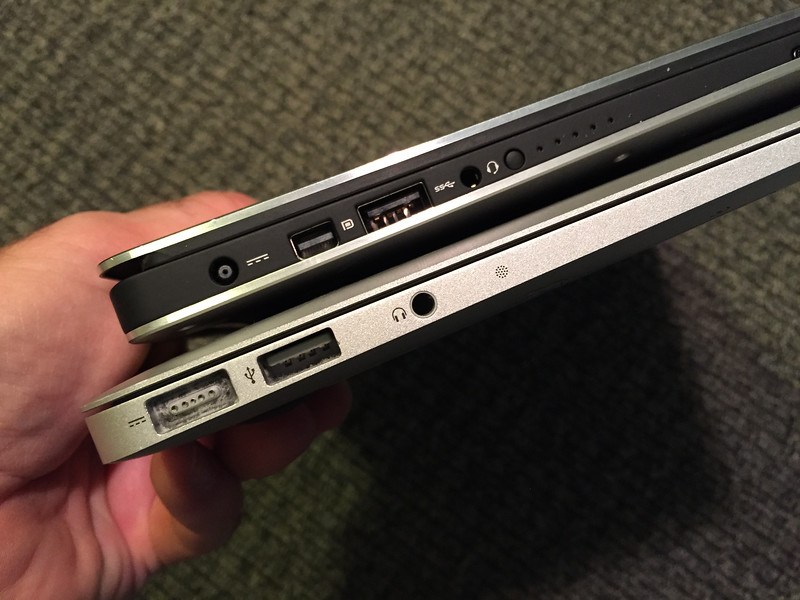
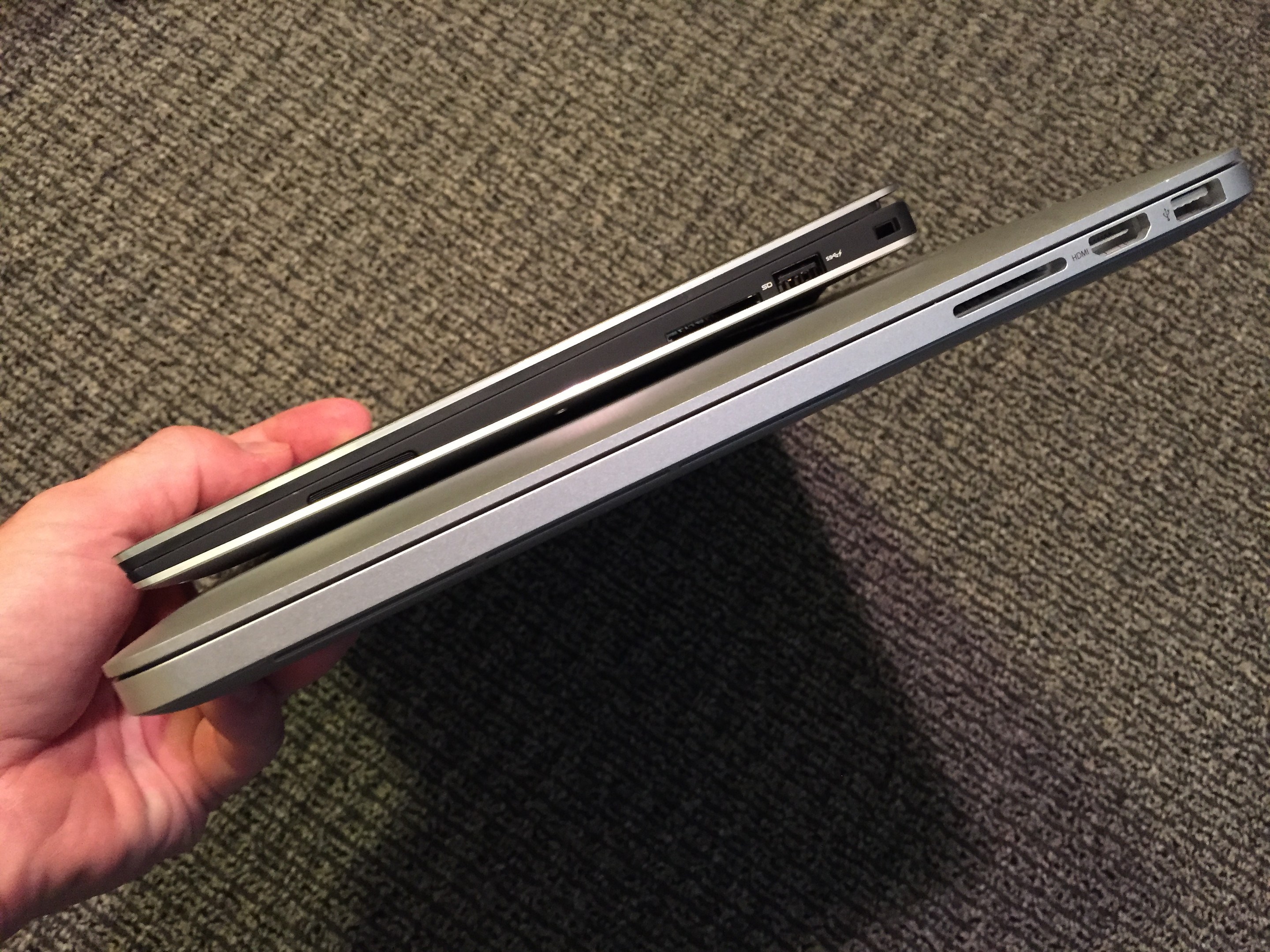
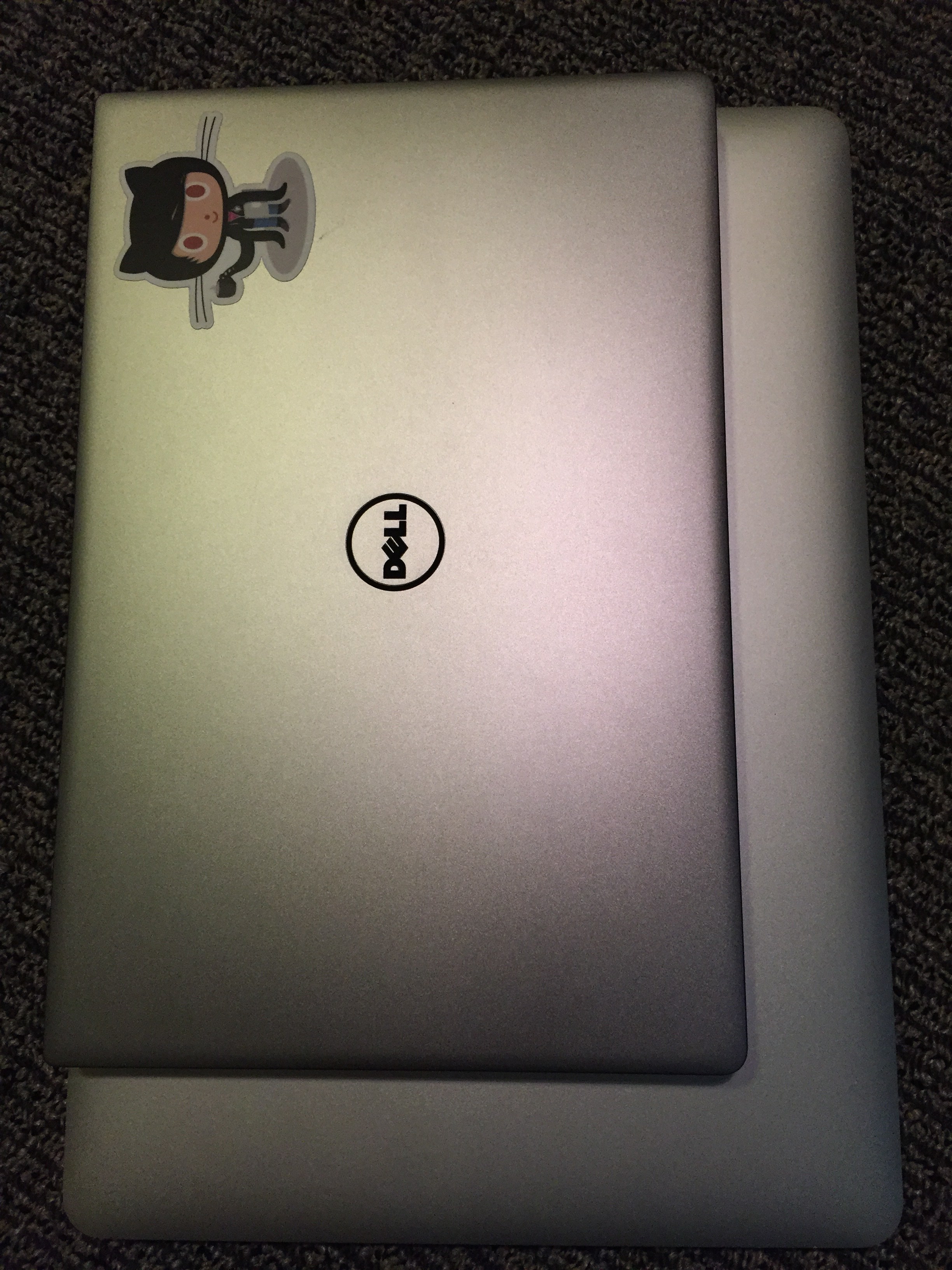
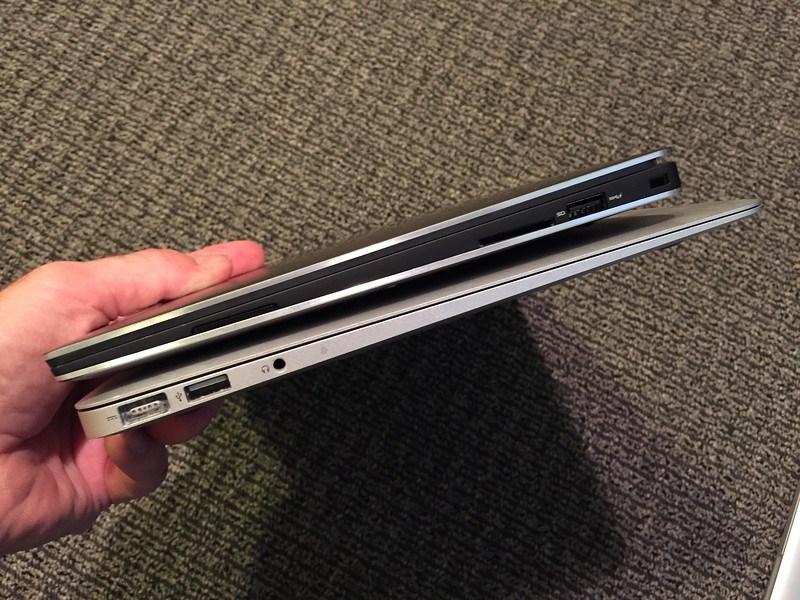
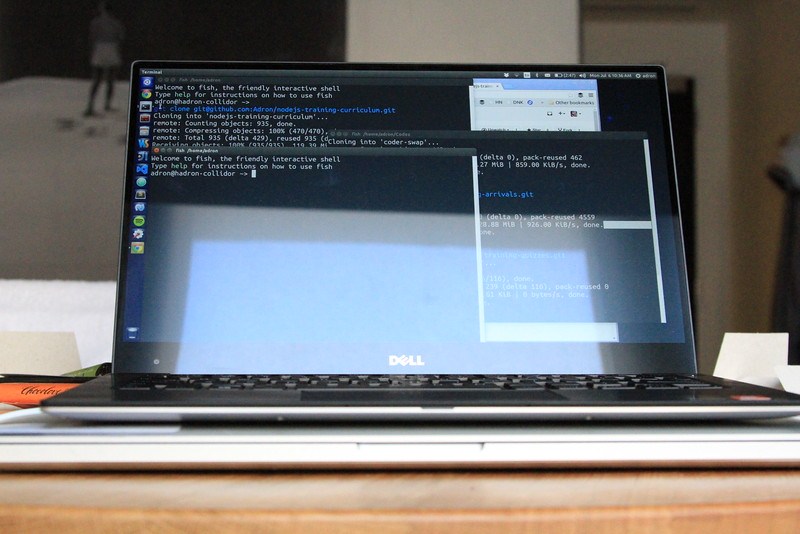
I’ll kick this positive feature off with some addition photos of the laptop compared to a Mac Book Pro 15” Retina and a Apple Air 13”.

First the 13” Air.
12

13

No the Mac Book Pro 15” Retina

14

…and then on top of the Mac Air 13”.
15

16

Of course there are smaller Mac Book Pros and Mac Book Air Laptops, but these are the two I had on hand (and still use regularly) to do a quick comparison with. The 13” Dell is considerably smaller in overall footprint and is as light or lighter than both of these laptops. The XPS makes for a great laptop for carrying around all the time, and really not even noticing its presence.

Battery Life

The new XPS 13 battery life, with Ubuntu, is a solid 6-12 hours depending on activity. I mention Ubuntu, because as anybody knows the Linux options on conserving battery life are a bit awkward. Namely, they don’t always do so well. But with managing the screen lighting, back light, and resource intensive applications it would be possible to even exceed the 12 hour lifespan of the batter with Ubuntu. I expect with Windows the lifespan is probably 10-15% better than under Ubuntu. That is, without any tweaks or manual management of Ubuntu.

So if you’re looking for a long batter life, and Apple options aren’t on the table, this is definitely a great option for working long hours without needing to be plugged in.

Summary

beer

Overall, a spectacular laptop in MOST ways. However that keyboard is a serious problem for most people. I can imagine most people will NOT want to deal with the keyboard. I’m ok with it, but I don’t mind typing with hands up and off the resting points on the laptop. If Dell can fix this I’d give it a 100% buy suggestion, but with the keyboard as buggy and flaky as it is, I give the laptop at 60% buy suggestion. If you’re looking for a machine with Ubuntu out of the box, I’d probably aim for a Lenovo until Dell fixes the keyboard situation. Then I’d even suggest this machine over the Lenovo options.

…and among all things, I’d still suggest running Linux on a MBA or MBP over any of these – the machines are just more solid in manufacturing quality, durability, and the tech (i.e. battery, screen, etc) are still tops in many ways. But if you don’t want to feed the Apple Nation’s Piggy Bank, dump them and go with this Dell or maybe a Lenovo option.

Happy hacking and cheers!

The Question of Docker, The Future of OS Virtualization

In this article I’m going to take a look at Docker and OS Virtualization autonomously of each other. There’s a reason, which will unfold as I dig through some data and provide this look into what is and isn’t happening in the virtualization space.

It’s important to also note what methods were used to attain the information provided in this article. I have obtained information through speaking with Docker employees and key executives including Ben Golub and founder Solomon Hykes over the years since the founding of Docker (and it’s previous incarnation dotCloud, before the pivot and name change to Docker).

Beyond communicating directly with the Docker team and gaining insight from them I have also done a number of interviews over the course of 4 days. These interviews have followed a fairly standard set of questions and conversation about the Docker technology, including but not limited to the following questions.

  • What is your current use of Docker visualization technologies?
  • What is your future intended use of Docker technologies?
  • What is the general current configuration and setup of your development team(s) and tooling that they use (i.e. stack: .NET, java, python, node.js, etc)
  • Do you find it helps you to move forward faster than without?

The History of OS-Level Virtualization

First, let’s take a look at where virtualization has been, then I’ll dive into where it is now, and then I’ll take a look at where it appears to be going in the future and derive some information from the interviews and discussions that I’ve had with various teams over the last 4 days.

The Short of It

OS-level virtualization is a virtualization application that allows the installation of software in a complete file system, just like a hypervisor based virtualization server, but dramatically faster installation and prospectively speed overall by using the host OS for OS-level virtualization. This cuts down on excess redundancies within the core system and the respective virtual clients on the host.

Virtualization in concept has been around since the 1960s, with IBM being heavily involved at the Cambridge Scientific Center. Over time developments continued, but the real breakthrough in pushing virtualization into the market was VMware in 1999 with their virtual platform. This, hypervisor level virtualization great into a huge industry with the help of VMware.

However OS-level virtualization, which is what Docker is based on, didn’t take off immediately when introduced. There were many product options that came out over time around OS-level virtualization, but nothing made a huge splash in the industry similar to what Docker has. Fast forward to today and Docker was released in 2013 to an ever increasing developer demand and usage.

Timeline of Virtualization Development

Docker really brought OS-level virtualization to the developer community at the right time in regards to demands around web development and new ways to implement effective continuous delivery of applications. Docker has been one of the most extensively used OS-level virtualization tools to implement immutable infrastructure, continuous build, integration, and deployment environments, and to use as a general virtual environment to spool up resources as needed for development.

Where we Are With Virtualization

Currently Docker holds a pretty dominant position in the OS-level virtualization market space. Let’s take a quick review of their community statistics and involvement from just a few days ago.

The Stats: Docker on Github ->https://github.com/docker/docker

Watchers: 2017 Starred: 22941 Forks: 5617

16,472 Commits 3 Branches 102 Releases 983 Contributors

Just from that data we can ascertain that the Docker Community is active. We can also take a deep look into the forks and determine pull requests, acceptance of and related data to find out that the overall codebase is healthy with involvement. This is good to know since at one point there were questions if Docker had the capability to manage the open source legions pushing the product forward while maintaining the integrity, reputation, and quality of the product.

Now let’s take a look at what that position is based on considering the interviews I’ve had in the last 4 days. Out of the 17 people I spoke with all knew what Docker is. That’s a great position to be in compared to just a few years ago.

Out of the 17 people I spoke with, 15 of the individuals are working on teams that have, are implementing or are in some state between having and implementing Docker into their respective environments.

Of the 17, only 13 said they were concerned in some significant way about Docker Security. All of these individuals were working on teams attempting to figure out a way to use Docker in a production way, instead of only in development or related uses.

The list of uses that the 17 want to use or are using Docker for vary as much as the individual work that each is currently working on. There are however some core similarities in what they’re working on where Docker comes into play.

The most common similarity among Docker uses is simply as a platform to build out development testing environments or test servers. This is routinely a database server or simple distributed database like Cassandra or Riak, that can be built immutably, then destroyed and recreated whenever it is needed again for test and development. Some of the build outs are done with Docker specifically to work up a mock distributed database environment for testing. Mind you, I’m probably hearing about and seeing this because of my past work with Basho and other distributed systems programmers, companies, and efforts around this type of technology. It’s still interesting and very telling none the less.

The second most common usage is for Docker to be used somewhere in the continuous delivery chain. The push to move the continuous integration and delivery process to a more immutable, repeatable, and reliable process has been a perfect marriage between Docker and these needs. The ability to spin up entire environments in a matter of seconds and destroy them on whim, creating them again a matter of moments later, as made continuous delivery more powerful and more possible than it has ever been.

Some of the less common, yet still key uses of Docker, that came up during the interviews included; in memory cache servers, network virtualization, and distributed systems.

Virtualization’sFuture

Pathing

With the history covered, the core uses of Docker discussed, let’s put those on the table with the acquisitions. The acquisitions by Docker have provided some insight into the future direction of the company. The acquisitions so far include: Kitematic, SocketPlane, Koality, and Orchard.

From a high level strategic play, the path Docker is pushing forward into is a future of continued virtualization around, as the hipsters might say “all the things”. With their purchase of Kitematic and SocketPlane. Both of these will help Docker expand past only OS virtualization and push more toward systemic virtualization of network environments with programmatic capabilities and more. These are capabilities that are needed to move past the legacy IT environments of yesteryear which will open up more enterprise possibilities too.

To further their core use that exists today, Docker has purchased Koality. Koality provides parallelizable continuous integration, deployment, and related services. This enables Docker to provide more built out services around this very important.

The other acquisition was Orchard (orchardup.com). This is a startup that provides a Docker host in the cloud, instantly. This is a similar purchase as the Koality one. It bulks up capabilities that Docker had some level of already. It also pushes them forward with two branches of capabilities: SaaS based on the web and prospectively offering something behind the firewall, which the Koality acquisition might have some part to play also.

Threat Vectors

Even though the pathways toward the future seem clear for Docker in many ways, in other ways they see dramatically less clear. For one, there are a number of competitive options that are in play now, gaining momentum and on the horizon. One big threat is Google’s lack of interest in Docker has led them to build competing tooling. If they push hard into the OS level virtualization space they could become a substantial threat.

The other threat vector, is the simple unknown of what could become a threat. Something like Mesos might explode in popularity and determine it doesn’t want to use Docker, and focus on another virtualization path. In the same sense, Mesos could commoditize Docker to a point that the value add at that level of virtualization doesn’t retain a business market value that would sustain Docker.

The invisible threat around this area right now is fairly large. There’s no greater way to determine this then to just get into a conversation with some developers about Docker. In one sense they love what it allows them to do, but the laundry list of things they’d like would allow for a disruptor to come in and steal the Docker thunder pretty easily. To put it simply, there isn’t a magical allegiance to Docker, developers will pick what helps them move the ball forward the fastest and easiest.

Another prospective threat is a massive purchase by a legacy software company like Oracle, Microsoft, or someone else. This could effectively destabilize the OSS aspects of the product and slow down development and progress, yet it could increase corporate adoption many times over what it is now. So this possibility is something that shouldn’t be ruled out.

Summary

Docker has two major threats: the direct competitor and their prospectively being leapfrogged by another level of virtualization. The other prospective threat to part of the company is acquisition of Docker itself, while it could mean a huge increase in enterprise penetration. In the future path the company and technology is moving forward in, there will be continued growth in usage and capabilities. The growth will maintain in the leading technology startups and companies of this kind, while the mid-size and larger corporate environments will continue to adopt and deploy at a slower pace.

A Question for You

I’ve put together what I’ve noticed, and I’d love to see things that you dear reader might notice about the Docker momentum machine. Do you see networking as a strength, other levels of virtualization, deployment of machines, integration or delivery, or some other part of this space as the way forward into the future. Let me know what your thoughts are on Twitter or whatever medium you feel like reaching out on. Of course, I’d also love to know if you think I’m wrong about anything I’ve written here.