Quick SITREP
(If you just want the meat of the tech, skip to the “Framework Cookoff” or “Summary and Victor” section.)
I’m on vacation, so of course I’m writing and reviewing frameworks to write some code!
🤓
An Aside: Hey, if you’re on vacation and not writing code, more power to you. Gotta keep work and one’s personal life separated in as healthy a way as possible! My life however involves a lot of hobbies, that I could do professionally, and one of those hobbies I do indeed do professionally: write code, design, and understand domains to build and implement solutions for people and organizations of people!
 A few days ago I decided I’d create a few reference applications for development against distributed databases systems, using Apache Cassandra and whatever else. That left one of the first priorities to figure out what UI framework to use, or which to not use, or to use any at all. The application I intend to build out is a simple todo list, so nothing extravagant.
I sat down at Ballard Coffee Works today (that’s part of Seattle Coffee Works, they’re pretty rad) to get started on this. The first thing I needed to do however was figure out what the hell is going on with the state of the user interface realm of the JavaScript universe. What are my options? Are we all still just going on about React? Is Angular dead yet? What’s this Vue.js dealio? Does everybody use Bootstrap underneath all of this or has something else taken over?
Framework Cookoff!
Fire up the cooker, time to rip these frameworks apart and see which one is going to be the choice option for this task!
Bootstrap
URI: https://getbootstrap.com/
Project Self-Description:
Build responsive, mobile-first projects on the web with the world’s most popular front-end component library.
Bootstrap is an open source toolkit for developing with HTML, CSS, and JS. Quickly prototype your ideas or build your entire app with our Sass variables and mixins, responsive grid system, extensive prebuilt components, and powerful plugins built on jQuery.
My 2 Cents:
As I read the description on the website I immediately noticed “jQuery” and couldn’t recall how many times I’ve heard it’s dead, have had people swear one ought not to use it today, and generally infer to not use it. That leaves me curious if Bootstrap really is the most common open source toolkit for developing sites these days. Is it still, or is it not?
The description overall is accurate however. It is indeed focused around providing an interface design standard with HTML, CSS, and JS (JavaScript). Being able to prototype with it is very fast, and setup is something that can be done quickly even with manual setup. In other words, I don’t have to do a magical npm install and hope that everything just sets itself up. That’s a plus in my book, since I like to know the actual working parts of what I intend to and want to use.
There’s also a ton of themes for Bootstrap which I’m always excited about. Anyway to get something I can reskin with ease is a huge plus one in my book. I keep interfaces pretty simple, and aim to keep user experience uncluttered, so being able to reskin an application quickly is always like an ice cream treat on a hot day for me.
I years ago had gone through the Bootstrap introduction and reviewed it again for this article. It appears that it is as straight forward and barebones as it was years ago. Another plus in my book. Of course, going through the docs and getting some quality RTFM time in, I noticed of course there’s a npm install bootstrap these days. Why wouldn’t there be! The beautiful thing too however was that I ran this (cuz’ of course I have node.js and npm installed!) and it setup things in a pretty standard way which I immediately understood from past experience. That builds confidence that the framework and such has been consistent over the years. Another advantage for what I’m aiming to do.
This framework might just be the simple thing I’m looking for. Maybe combined with Backbone (keep reading, I did indeed stumble back into good ole’ Backbone). I’ll revamp and return after a review of all the frameworks I dig up, with a victor and the end of this post!
Angular
URI: https://angular.io/
Project Self-Description:
Angular is a platform and framework for building client applications in HTML and TypeScript. Angular is written in TypeScript. It implements core and optional functionality as a set of TypeScript libraries that you import into your apps.
The basic building blocks of an Angular application are NgModules, which provide a compilation context for components. NgModules collect related code into functional sets; an Angular app is defined by a set of NgModules. An app always…
…ok, enough of that. Basically the Angular website seemed to not have a concise description anywhere and instead just leapt directly into descriptions of the architecture. Maybe I missed it, maybe I didn’t. Upon review however that was enough to lead me down a path of determination.
I was going to review it more significantly, but see the greenfield use and existing application use has kind of just trailed off into something about turtles all the way down. With that, and the fact I’ve still never used it – somehow I managed to entirely skip that phase of JavaScript trends – I’ll just leave it were it rests and move on. It appears, based on trends, you may want to do the same thing.
React
URI: https://reactjs.org/
Project Self-Description:
Declarative – React makes it painless to create interactive UIs. Design simple views for each state in your application, and React will efficiently update and render just the right components when your data changes.
Declarative views make your code more predictable and easier to debug.
Component-Based – Build encapsulated components that manage their own state, then compose them to make complex UIs.
Since component logic is written in JavaScript instead of templates, you can easily pass rich data through your app and keep state out of the DOM.
Learn Once, Write Anywhere – We don’t make assumptions about the rest of your technology stack, so you can develop new features in React without rewriting existing code.
React can also render on the server using Node and power mobile apps using React Native.
My 2 Cents:
Ohhhhhh yeah, React is still ridiculously popular among polls and actual measured use on Github and other sites. But do I want to delve into this thing? Is it overkill for this project? Well, first off, since usage is one of the very important criteria since I hope it will continue to be a standard for some time, React is one of the top options. But I needed to research and confirm. After just a few minutes, reading about a half dozen articles it was easy to assume React still held a mantle among the most popular frameworks. It appeared with numerous tutorials and in almost every recent frameworks post listing out popular frameworks! So that’s a good start.
I do like various characteristics of React but getting it put into place on projects, it just seems like it starts to add a lot of unnecessary complexity for simple apps (especially like a todo app). In addition, it does require additional knowledge and routine RTFMing beyond the standard HTML, CSS, and JavaScript RTFMing. This could mean I might end up hacking through docs more than I do contributing to and putting together the actual todo application. But that user base which is familiar with this beast of a framework is wildly huge! So maybe I just buck up and put in the effort?
I do like a number of things about the framework, and even though I’m definitely all about the data, maybe this framework would be worth the investment in time to get better at? I checked out the tutorial in an effort to help make a decision.
Frist off, I gotta say I’m not a big fan of – and I know the industry is currently against me it appears – of have XML and HTML jammed inside of JavaScript that’s jammed inside of HTML pages that’s jammed in well… ugh. So it’s turtles all the way down. This basically looks like Classic ASP (Wikipedia) from Microsoft circa 1998, which is NOT hyperbole! Ok, enough of that point.
As I worked through the tutorial you’ve got things like a class, with HTML shoved into it like this.
class ShoppingList extends React.Component {
  render() {
    return (
      <div className="shopping-list">
        <h1>Shopping List for {this.props.name}</h1>
        <ul>
          <li>Instagram</li>
          <li>WhatsApp</li>
          <li>Oculus</li>
        </ul>
      </div>
    );
  }
}
Now, this might be some hellish looking merging of code and configuration but it is kind of slick too. You’ve got the object, in a way kind of instantiated in this code that is referred to as a class. Based on object oriented paradigms it’s like it’s a class that is also the actual instantiated object. It kind of simplifies creating a component. Component being the connector word describing both the class and object instantiation here, which by association is in reference to this being something that is rendered. Ok, all that sounds kind of complex, because conceptually it kind of is, but when you cram through enough examples it eventually starts to make sense.
If my description and comparison to object oriented programming paradigms is confusing, here’s the tutorial doc’s description, “Here, ShoppingList is a React component class, or React component type. A component takes in parameters, called props (short for “properties”), and returns a hierarchy of views to display via the render method.”
I’m not sure that helps more, being there are redundant descriptions of React component type and React component class being referenced as the same thing. Not sure I’d have made a naming decision like that, but one has to manage these definitions mentally when using a framework like this.
Weighing these types of things I’ll need to learn and also re-remember, and the factor of large and continued industry use, React is one of the top options. But still not the clear victor at this point. Let’s move on and knock a out some more reviews.
Backbone
Project Self-Description:
Backbone.js gives structure to web applications by providing models with key-value binding and custom events, collections with a rich API of enumerable functions, views with declarative event handling, and connects it all to your existing API over a RESTful JSON interface.
My 2 Cents:
Wow. I haven’t heard a peep out of anybody using Backbone since…
…recollecting memories… whiiir buzz bing pop pop, blurp, ping, ping pong.
…sometime around 2010! Wow, I can’t even believe it’s still in use but will add. It was solid then and it’s still rather solid now! I dig backbone. I however gotta say, among all my Google Kung-fu I found this an interesting one to come up as a result among user interface reviews and such. It’s not really user interface focused, it’s model based binding with events and such. Per the description from the site itself! I gave it a good ring in testing, but let’s move on to the last framework I gave a shot at today.
Vue
URI: https://vuejs.org/
Project Self-Description:
Vue (pronounced /vjuː/, like view) is a progressive framework for building user interfaces. Unlike other monolithic frameworks, Vue is designed from the ground up to be incrementally adoptable. The core library is focused on the view layer only, and is easy to pick up and integrate with other libraries or existing projects. On the other hand, Vue is also perfectly capable of powering sophisticated Single-Page Applications when used in combination with modern tooling and supporting libraries.
This seems to be the hot, and I mean like blue flame hot, framework to build a user interface in JavaScript these days. It’s actually blown past React even! I guess my 1.5 year old JavaScript knowledge is just out of step at this point! Err ma gawd! I took a dive into it and made some rather pleasant discoveries!
First thing I ended up strolling through was the modern tooling and supporting libraries links:
- https://vuejs.org/v2/guide/single-file-components.html
- https://github.com/vuejs/awesome-vue#components–libraries
First off I noticed jQuery had reared up in this framework too. Funny, it keeps popping back up even in spite of being declared dead by a lot of people. But meh. Check it out, I clicked on this one component and it immediately gave me some insight to how I might build an application with vue.js.
This data table component HTML looks like this. I got a little excited that it was just plain old HTML.
<datatable>
    <datatable-column id="datatable-column-1" label="Column 1"></datatable-column>
    <datatable-column id="datatable-column-2" label="Column 2"></datatable-column>
    <datatable-column id="datatable-column-3" label="Column 3"></datatable-column>
</datatable>
Then for this type fo datatable the docs show I could create a viewmodel being wired up to bind the data into a datatable.
new Vue({

    el: "#app",

    data: function() {
        return {
            columns: [
                { id: "datatable-column-1", label: "Column 1" },
                { id: "datatable-column-2", label: "Column 2" },
                { id: "datatable-column-3", label: "Column 3" }
            ]
        };
    }
});
Then the datatable itself.
<datatable>
    <datatable-column v-for="column in columns" :id="column.id" :label="column.label"></datatable-column>
</datatable>
Ok, now that’s what I’m talking about! A viewmodel, prospectively a model somewhere binds it or populates it via a push. I didn’t know where it might be, but just looking at this it looked clean with a clearer separation of concerns than some of the other libraries, and no injected HTML or other magic black box type stuff like React has.
Nice, very nice. I liked this so much, I can see where the popularity is coming from, so research continued. Next I stepped into the introduction on the vue.js site. The first bit of code shown was this Hello.vue.
<script src="https://unpkg.com/vue"></script>
<div id="app">
<p id="hello">{{ message }} hi!</p>
</div>
<script>
new Vue({
el: '#app',
data: {
message: 'Hello Vue.js!'
}
})
</script>
<style>
#hello {
font-family: 'Avenir', Helvetica, Arial, sans-serif;
text-align: center;
color: #2c3e50;
margin-top: 60px;
}
</style>
There was the start, with template. It seemed self-explanatory with an HTML tag “p” being the singular element, with {{ and {} signifying what I assumed is a bindable value or variable. Then below the script was clearly some JavaScript code embedded in this “DatHello.vue” file thing. Clearly readable as module providing export of JavaScript that has data, returning via function the string “Hello”. Alright, this seems pretty absurdly simple. Is it really a full framework? Finally wrapping up this file is some CSS. It doesn’t even particularly seem relevant, except that I’m guessing the CSS encapsulates the characteristics that detail how this thing should appear once it is rendered, however that happens!
Alright, that does it. It’s time to decide.
Summary and Victor
I looked at a number of articles on usage (all referenced articles are below). One can see from data collected React climbing and climbing. Never blowing up as popular as Backbone, but upon closer inspection that doesn’t really measure exactly how many uses or users, just that it gained popularity along these curves. Vue.js on the other hand is crawling along, but based on other data, has blown up this last year or so.
Knowing this the usage and prospective usage of these frameworks put Vue.js and React in the lead. After my re-review of the tutorials and where these frameworks are today, both were still really close to victory, even though I had a happier time dealing with Vue.js and it’s respective components. One other underlying thought sitting in my mind was the fact React was just kind of a bulkier beast in concepts, and burdened with it’s history with its origins in Facebook. Not that I really cared, nor was concerned all that much. But just seeing Facebook involved as the origin and knowing it’s seedy method of extracting profits just seems like a nasty mess of spilled sour, nasty smelling, bad food sitting amid the floor while your lovely dog licks away at it. Ok, that was graphic, my apologies, but just leaving that idea with you for serious consideration.
There was one more combination that might bring things together, and that’s the ease of pulling bootstrap into things and then apply Vue.js or React together with bootstrap or something similar. What exactly was the underlying method in which these user interface frameworks could be reskinned? I did a quick follow up ~20 minutes exploration of skinning React components, what existing skins are out there, looked at some purchasable themes, looked at the same for Vue.js. One site of note that I kind of dug was vuetifyjs. It looked nice. But here I was stuck in deciding between these two.
The tie breaker was simple however. I did a search for todo apps with each respective framework, “vue.js todo apps” and “react todo apps” respectively. I reviewed them and both seemed to have plusses and minuses but then one app on Codepen, as simple as it is, sold me on a choice.
The victor is Vue.js. Just look at that Codepen sample, and look at the docs sample! It’s clean, simple, and minimalistic but the interaction is just smooth. Sure, React samples were decent, but it just seemed like more work, especially as a project grows. I’m sure some of my past history in industry has biased me somewhat, but Vue.js will work out just fine for me from the looks of things. Unless someone in this last minute can convince me otherwise! If you think I’ve made a horrible mistake, please tweet a twit at me on the twitters @Adron or message me via the ole’ contact form!
Resources – Past Articles I’ve Written:
Resources – Framework Articles:
- Best JavaScript Frameworks of 2018
- 9 Popular JavaScript Frameworks used in 2018
- A Real World Comparison of Frontend Frameworks with Benchmarks 2018 Update
- The Best JS Framework Frontends
- How to Choose the Best JS Frontend Framework
- Top 10 Frontend Frameworks for 2018
- The 5 Most Popular Frontends Compared
- State of JavaScript UI Framework Results
- State of JavaScript UI Framework Results Review on Hackermoon

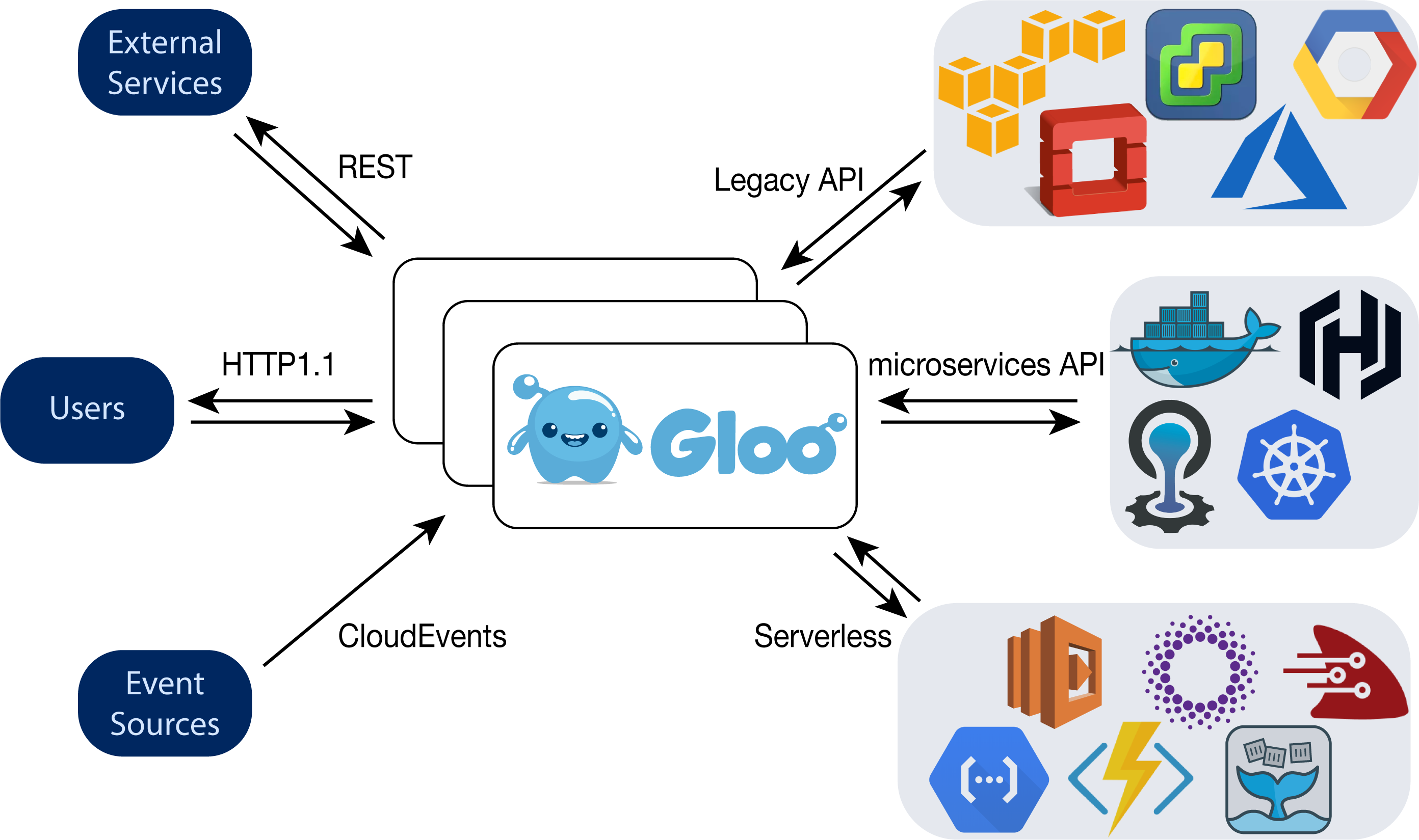
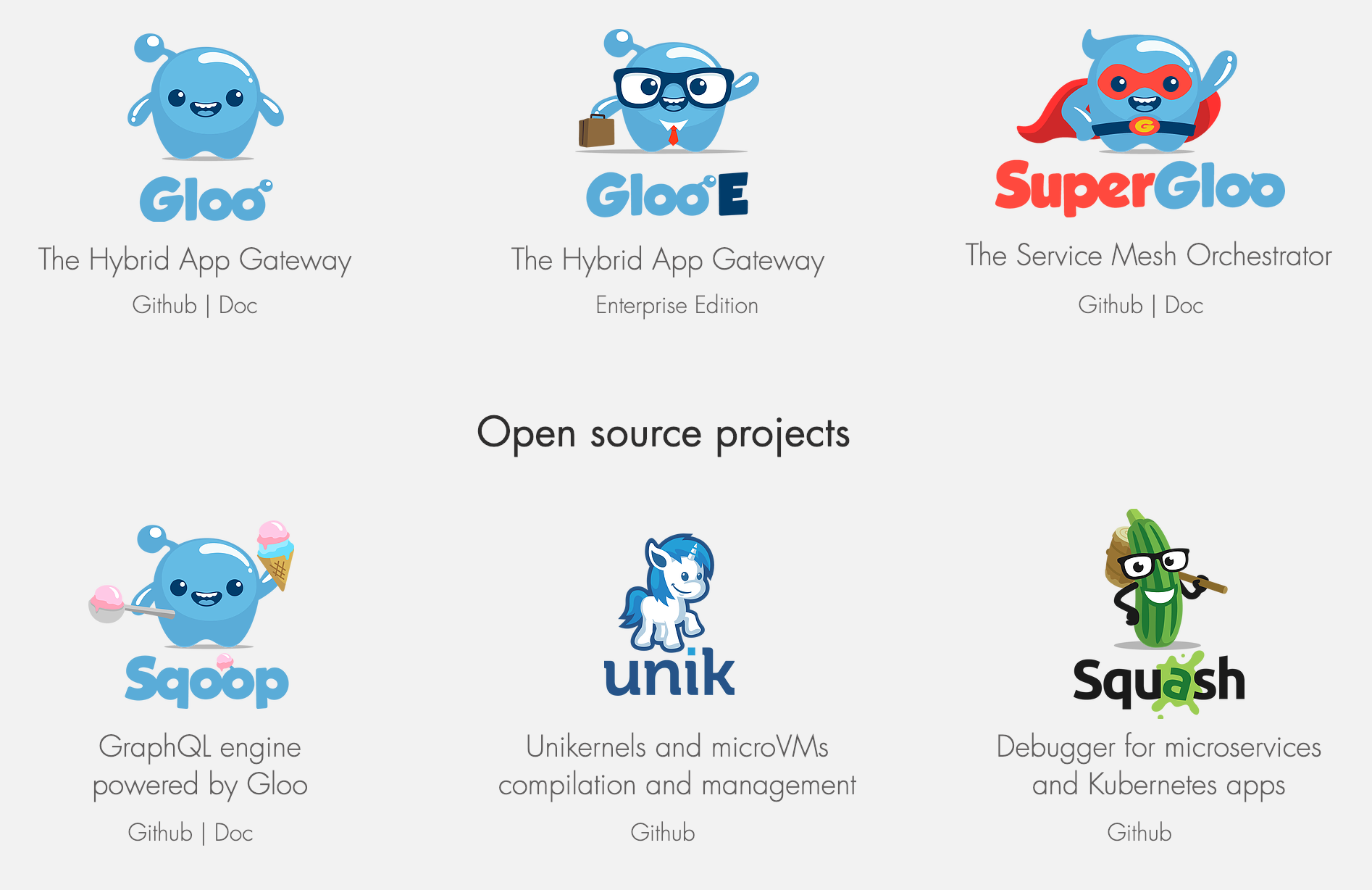
 Gloo – Ok, this looks kind of interesting. I stopped to look just because it had interesting characters. When I strolled up to the booth I listened for a few minutes, but eventually realized I needed to just dig into what docs and collateral existed on the web. Here’s what’s out there, with some quick summaries.