DI, IoC, and Loose Coupling

Recently a situation were I needed to pull out the dependency injection and inversion of control skills came up again.  The need for loose coupling in so many projects is vital to these patterns.  I was going to start writing an article, but then realized there are some really amazing ones out there.  They point out the reason for Separation of Concerns (SoC), Loose Coupling of UI Components, Controller Independence (free from proprietary UI code).  With that said, here’s some links;

Technorati Tags: Dependency Injection,DI,Inversion of Control,IoC,Loose coupling,SoC,Seperation of Concerns

del.icio.us Tags: Dependency Injection,DI,Inversion of Control,IoC,Loose coupling,SoC,Seperation of Concerns

More Team City Tools Goodies

The VS.NET integrated build monitor is great.  This thing helps you keep track of your latest changes, the status of the build, and other information right at your fingertips.  If you’re using ReSharper and NUnit (or other integrated test framework) you get even more functionality.

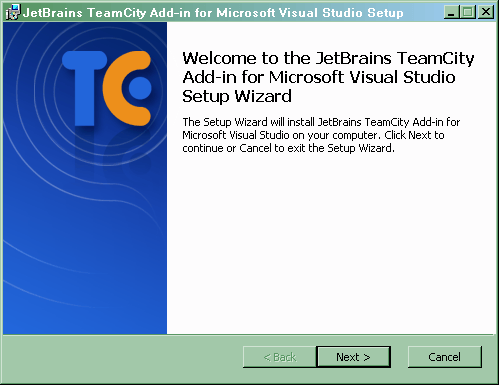
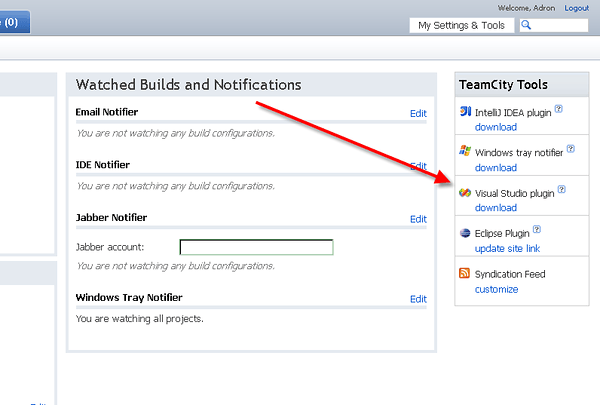
First just install the TeamCity Visual Studio Add-in Tool.  You can find it under the “My Settings & Tools” section of the TeamCity Web Application.  Make sure Visual Studio is closed.  You don’t want it flaking out on Visual Studio and doing an “almost fully installed” installation.  Those are never fun.

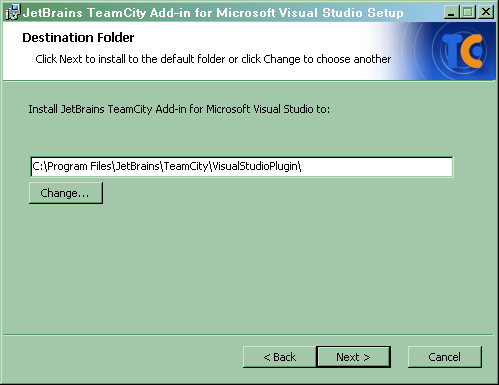
As usual, it’s a good idea to leave the path as the default.

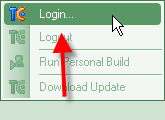
Once the tool is installed open up Visual Studio.  In Visual Studio you’ll find another menu is available now.  Click on the TeamCity Menu.

You got one option at this point.  Login.

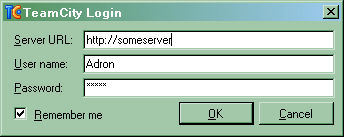
Once you login the command button bar will come alive with newly active command buttons.  This is where the coolness begins.

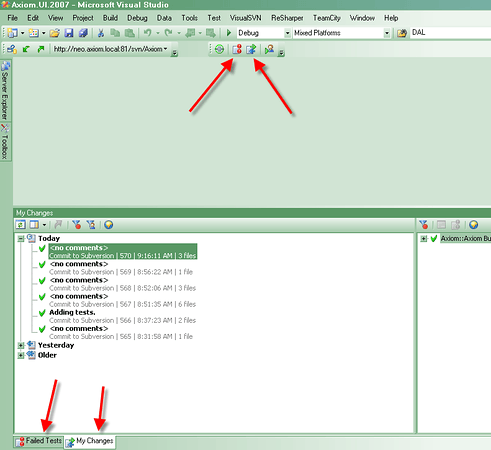
Click on the two buttons the red arrows are pointing to.

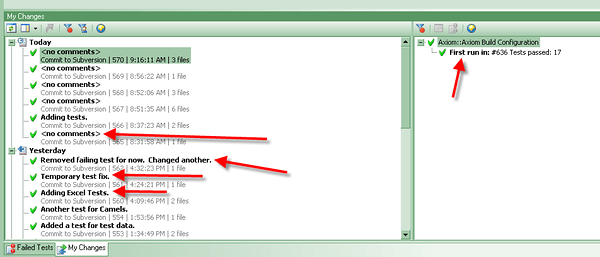
You’ll now have the Failed Tests and My Changes available at the bottom of Visual Studio.  On the My Changes screen you’ll have up to the minute status of the build, the current changes, etc.  This makes it super easy, without another single tool open to keep up with what’s going on with the build.

Technorati Tags: Subversion,TeamCity,Visual Studio,Integration,Broken Build,Test,Unit Tests,TDD

del.icio.us Tags: Subversion,TeamCity,Visual Studio,Integration,Broken Build,Test,Unit Tests,TDD

Ole' Skool Meetingz :: Tip o' The Day

A quick tip o’ the day, that really has nothing to do specifically with software development – but is none the less a very good tip.

Meetings can be awesome and useful, or they can be useless and wasteful at best.  There are a couple reasons;

  1. Any meeting over 30 minutes is absolutely wasteful.  Too much is happening and most will fall in the gutter by the time the next meeting comes around.
  2. Too many topics are being covered.  Attack particular points that can and will be covered and acted on.  Too many topics just means more complacency and lack of activity.  i.e. lower productivity.
  3. People get bored.  Bored people means lower productivity.
  4. People get frustrated.  Frustrated people mean lower productivity.
  5. If a meeting can cover key points in 5-30 minutes than management is overdoing the key conversation points.

How does one resolve this problem?  How does one make sure they stay productive and help keep things moving?

  1. 5-30 minutes, 30 being an absolute maximum.
  2. 3 bullet point topics.  No more, maybe less.
  3. Talk on the point, stay on the point, don’t stray.
  4. Once the three points are covered, summarize the meeting verbally, and break up to accomplish action items.

That’s how simple it is.  Wash & repeat.

Integration Test in a Build?

Integration tests are dependant tests that go across boundaries; database to the data layer, UI to the client layer, Model Layer of the MVC to the Something Layer, and the list goes on.  These tests are not something that can be added to a build solution without first getting the various segments actually “running”.  We then end up with several different issues;

  • With the assumption that the unit tests pass, the integration tests should then fire.  This is a fairly straight forward need, have ordered tests run.  Unit tests always go first and then integration tests.  What is the best way to set this up?
  • How does one launch things like Web Services, setup Databases, etc to test to in an integration point of view.  Something that can be repeated time and time again in a reliable fashion.  I’ve been using TeamCity, but in general how does one go about getting an application to actually deploy?

The best solution that I’ve come up with so far is to have the unit tests in the building solution and separate the integration tests into the actual Setup/Deploy/*.msi Solution.  When that solution is built, it needs to verify and deploy/setup the various parts of the application.  Since it is part of the functional requirement of this solution to be able to be deployed, the integration tests are “almost” a large scale application level “unit test”.  Right?  Ok, so maybe I’m thinking to creatively but it should work.

I’ll be putting a solution together to do just that and will find out then.

Technorati Tags: Integration,Unit Test,Integration Test,Deploy,Setup,Test

del.icio.us Tags: Integration,Unit Test,Integration Test,Deploy,Setup,Test